
Key facts
- Brand
- ViewSonic
- Model
- Pocket PC V36
- Category
- Digital cameras
- Industry
- Electronics
- Documents
- 3
- Languages
- EN
- Last added
- 2012-06-04
Start here
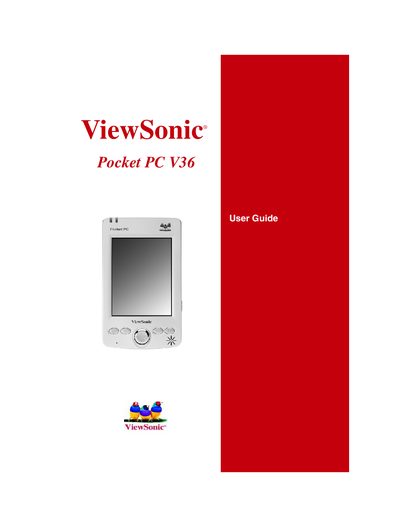
ViewSonic Pocket PC V36 User Manual
This manual introduces the ViewSonic Pocket PC V36, a Windows‑based handheld computer. It lists the package contents, describes the hardware components—including the LCD screen, stylus, lithium‑ion battery, AC adapter, and USB cradle—and explains basic functions such as using the integrated digital camera and navigating the interface.
The guide also covers software usage (Pocket Word, Excel, Outlook, Internet Explorer, and media players), connectivity options (USB and infrared), data management, backup procedures, and troubleshooting steps like warm‑boot resets and restoring factory defaults. Appendices provide safety information, warranty details, and specifications.
ViewSonic Pocket PC V36 specifications
| Battery type | Lithium‑ion |
|---|---|
| Power adapter | AC |
| USB cable | Synchronization cable |
| SD card | Dummy card (inside the slot) |
All ViewSonic Pocket PC V36 documents by type
Day-to-day operation, settings and troubleshooting. Start here if the product is already set up.
Questions answered in these manuals
How do I reset the ViewSonic Pocket PC V36?
You can reset the V36 with a warm boot as described in the Troubleshooting section.
What must I do before sending the V36 for service?
Back up all data and remove any third‑party software, hardware, or accessories, as the service process may erase the contents.
How do I synchronize the Pocket PC with a computer?
Use Microsoft ActiveSync to connect the device to a PC for data transfer and synchronization.
What ports are available for connecting peripherals?
The Pocket PC V36 provides a USB port for connecting accessories and transferring data.
How do I change the image resolution?
Use the menu to select either the 640 × 480 or 280 × 210 resolution setting.
How can I adjust the flicker control?
Select the Flicker Control option in the settings to choose the appropriate frequency.