
Key facts
- Brand
- ViewSonic
- Model
- V1100
- Documents
- 2
- Languages
- EN · ZH
- Last added
- 2012-06-04
Start here
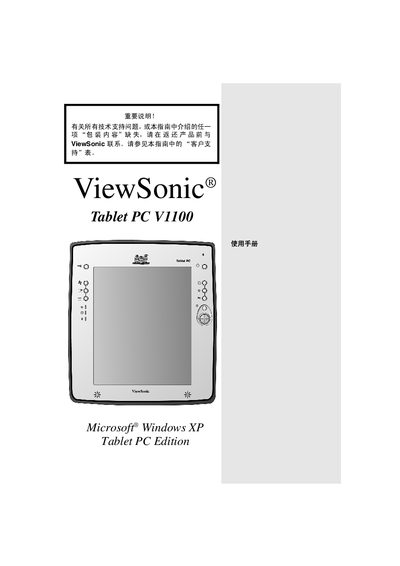
ViewSonic Tablet PC V1100 User Manual
This manual covers the ViewSonic Tablet PC V1100, a Windows XP Tablet PC equipped with WAN, LAN, Wi‑Fi and a 10.4‑inch color touchscreen. It explains the device’s hardware features, connectivity options, and supported software.
The guide includes safety notices, unpacking checklist, initial setup steps, battery charging instructions, hardware specifications, and troubleshooting tips. Reference tables list the tablet’s components, LED indicators, and system configuration details. This manual is written in Chinese.
ViewSonic V1100 specifications
| Operating System | Microsoft Windows XP Tablet PC Edition |
|---|---|
| Memory | 256 MB SDRAM (expandable to 512 MB) |
| Hard Disk | 20.0 GB |
| Wi‑Fi | Built‑in 802.11b Mini‑PCI Wi‑Fi |
| Ethernet | Fast Ethernet port |
| Modem | 56 Kbps V.90 RJ‑11 modem |
| Graphics | Intel embedded, AGP 4X |
| Display | 10.4" XGA TFT LCD, 1024×768 landscape |
| Expansion Slots | One Type II PC Card, One Type II CompactFlash |
| Ports | Firewire, 2 USB, audio in/out, Mini‑VGA, dock connector |
All ViewSonic V1100 documents by type
Day-to-day operation, settings and troubleshooting. Start here if the product is already set up.
Questions answered in these manuals
What is the weight of the ViewSonic V1100 Tablet PC?
The tablet itself weighs about 3 pounds, while the optional dock version weighs 3.4 pounds.
What processor does the V1100 use?
It is powered by an 866 MHz Mobile Intel Pentium III processor.
How long does the battery take to charge the first time?
The battery requires about 2.5 hours for the first full charge.
Which operating system is included with the tablet?
The tablet ships with Windows XP Tablet PC edition.