
Key facts
- Brand
- SONY
- Model
- ICF-SW35
- Documents
- 2
- Languages
- ES · EN
- Last added
- 2023-11-03
Start here
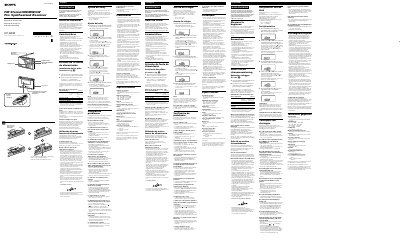
Sony ICF-SW35 FM Stereo/SW/MW/LW PLL Synthesized Receiver User Manual
This manual covers setup, operation, and troubleshooting for the Sony ICF-SW35 receiver. It includes instructions for battery installation, clock adjustment, tuning, and memory functions. The device supports FM stereo, SW, MW, and LW bands with a PLL synthesizer. It features a timer for automatic shutdown and a sleep timer for scheduled wake-up. The manual also details power options, including internal batteries and an external DC 4.5V adapter, and provides safety and maintenance guidelines. This manual is written in Spanish.
Read onlineSony ICF-SW35 specifications
| Frequency Range | FM: 760 MHz - 108 MHz, SW: 250 kHz - 26.1 MHz, MW: 530 kHz - 1710 kHz, LW: 150 kHz - 285 kHz |
|---|---|
| Speaker | Approx. 66 mm diameter, 8 Ω |
| Maximum Output Power | 240 mW (at 10% harmonic distortion) |
| Power Supply | 45 V DC, three R6 (AA) batteries |
| Dimensions | Approx. 168 x 106 x 35 mm (W x H x D) |
| Weight | Approx. 405 g (including batteries) |
Source: Sony ICF-SW35 FM Stereo/SW/MW/LW PLL Synthesized Receiver User Manual
All Sony ICF-SW35 documents by type
Day-to-day operation, settings and troubleshooting. Start here if the product is already set up.
Questions answered in these manuals
How do I adjust the clock on the ICF-SW35?
Adjust the clock with the power disconnected. Press and hold ENTER/CLOCK until you hear a beep, then use TUNE/SCAN/TIME SET to set the correct time.
From: Sony ICF-SW35 FM Stereo/SW/MW/LW PLL Synthesized Receiver User Manual
What batteries does the ICF-SW35 use?
It uses three R6 (AA) batteries. The manual also details external DC 4.5V power options.
From: Sony ICF-SW35 FM Stereo/SW/MW/LW PLL Synthesized Receiver User Manual
How do I set the clock on the ICF‑SW35?
Press and hold ENTER/CLOCK until a beep sounds, then use the – and + buttons under TUNE/SCAN/TIME SET to adjust the hour and minute, confirming each step with another beep.
How can I change the MW channel step?
Open the battery compartment, locate the MW channel‑step switch, and set it to 10 kHz for North/South America or 9 kHz for other regions, then reinstall the batteries.