
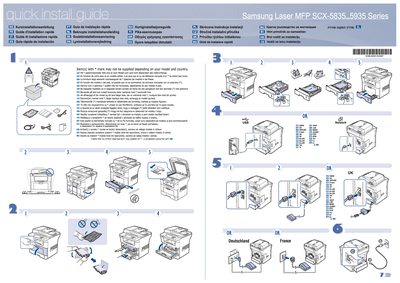
Samsung SCX-5835/5935 Series Laser MFP Quick Installation Guide


Samsung SCX-5835/5935 Series Laser MFP Quick Installation Guide - cover page
Brand
Samsung
Category
All-in-one printer
Document type
Quick Start Guide
Language
English
Pages
2
File format
PDF
File size
8.1 MB
Published
28 March, 2012
Updated
31 May, 2012
MD5 checksum
85C50D6268072F7E8DE688E149D802DB

About this manual

The guide offers concise, multilingual instructions for installing the Samsung SCX-5835/5935 Series laser MFP. It lists optional items that may not be supplied depending on the model and country, marked with an asterisk (*).

For network connectivity, users are directed to the Network setup section in the full User's Guide. Safety guidelines are also highlighted, advising users to read the safety instructions in the User's Guide on the supplied CD‑ROM before operating the printer.

What's inside

  • Quick Installation Guide
  • Optional Items
  • Network Setup
  • Safety Guidelines
  • Contact Information

Frequently asked questions

What does an asterisk (*) next to an item mean?

Items marked with an asterisk may not be supplied depending on the model and country.

Where are the safety guidelines for this printer?

The safety guidelines are in the User's Guide on the supplied CD‑ROM.

Download PDF (8.1 MB)

More Samsung Manuals


View all Samsung manuals →