
Key facts
- Brand
- Olympus
- Model
- C-220
- Category
- Digital cameras
- Industry
- Electronics
- Documents
- 3
- Languages
- EN · JA
- Last added
- 2012-06-08
Start here
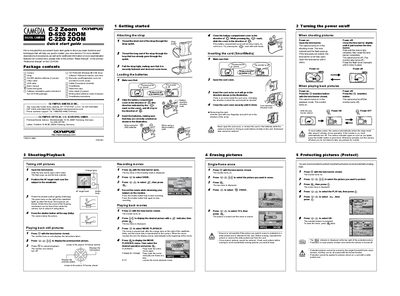
Olympus C-2/D-520/C-220 ZOOM Digital Camera Quick Start Guide
This document serves as a convenient Quick Start Guide to help users quickly master the basic functions of the Olympus C-2 ZOOM D-520 ZOOM or C-220 ZOOM digital cameras. It provides step-by-step instructions for essential tasks such as attaching the strap, loading batteries and SmartMedia cards, turning the power on and off, and operating the lens barrier.
Read onlineOlympus C-220 specifications
| Dimensions | 112 mm (W) x 62 mm (H) x 35 mm (D), excluding protrusions |
|---|---|
| Weight | 175 g (excluding batteries or card) |
| Operating temperature | 0°C to 40°C |
| Storage temperature | -20°C to 60°C |
| Power source | Two AA (R6) alkaline batteries, or NiMH batteries or lithium battery pack |
| Power source (alternative) | One CR-V3 battery pack or AC adapter (optional) |
| Recorded image sizes | 1600 x 1200, 1024 x 768, 640 x 480 |
Source: Olympus C-2 Zoom D-520 Zoom C-220 Zoom Digital Camera Basic Manual
All Olympus C-220 documents by type
Day-to-day operation, settings and troubleshooting. Start here if the product is already set up.
The shortest path to a working setup, usually only a few pages.
Questions answered in these manuals
What happens when I open the lens barrier?
The camera turns on in the shooting mode, the lens extends, and the flash pops up.
From: Olympus C-2/D-520/C-220 ZOOM Digital Camera Quick Start Guide
How do I turn off the camera?
Close the lens barrier slightly until it touches, wait for the lens to retract, then close it completely.
From: Olympus C-2/D-520/C-220 ZOOM Digital Camera Quick Start Guide
What kind of batteries should I use?
The manual describes AA (R6) alkaline batteries, NiMH batteries or a lithium battery pack, and one CR-V3 battery pack or an optional AC adapter. It advises using AA alkaline batteries only when no other choice is available and turning off the monitor to save power.
From: Olympus C-2 Zoom D-520 Zoom C-220 Zoom Digital Camera Basic Manual
What memory card does the camera use?
Pictures are stored on a SmartMedia card, which is inserted with the monitor off and the lens barrier closed.
From: Olympus C-2 Zoom D-520 Zoom C-220 Zoom Digital Camera Basic Manual
How do I set the date and time on the camera?
Select the "設定日期和時間" (Set Date and Time) option in the menu to adjust the camera’s clock.
From: Olympus C-2 Zoom / D-520 Zoom / C-220 Zoom User Manual
How can I connect the camera to a computer to download images?
Use the supplied USB cable or a USB SmartMedia card reader to connect the camera to a PC; supported operating systems are listed in the manual.
From: Olympus C-2 Zoom / D-520 Zoom / C-220 Zoom User Manual