
NETGEAR WNDR3700v4 N600 Dual-Band Gigabit Wireless Router User Manual

This manual provides installation and setup instructions for the NETGEAR WNDR3700v4 router, covering network connection, management interface login…
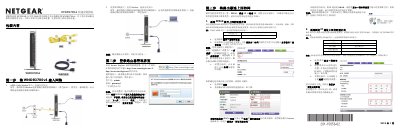

NETGEAR WNDR3700v4 N600 Dual-Band Gigabit Wireless Router User Manual - cover page
Brand
NETGEAR
Category
Router
Document type
User Manual
Language
Chinese
Pages
2
File format
PDF
File size
1.3 MB
Published
16 October, 2026
Updated
16 October, 2026
MD5 checksum
B2C8A5EE111D242933B3F1EF4CDFF1C5

About this manual

This document serves as a user guide for the NETGEAR N600 Series Dual-Band Gigabit Wireless Router model WNDR3700v4. It outlines a five-step process to complete initial setup, including connecting hardware, accessing the management interface via web browser, configuring internet connections (PPPoE, Static IP, or Dynamic IP), setting up wireless security credentials, and connecting client devices. This manual is written in Chinese.

What's inside

  • Package Contents
  • Connecting to Network
  • Logging into Management Interface
  • Configuring Internet Connection
  • Setting Wireless Password
  • Connecting Wireless Devices
  • LED Indicator Status
  • Resetting Factory Defaults

Frequently asked questions

How many steps are required to complete the initial setup of the WNDR3700v4 router?

The manual states that the entire setup process can be completed in just 5 steps.

What is the default username and password for the router's management interface?

The default username is admin and the default password is password, with both letters in lowercase.

How long must the reset button be held to restore the router to factory settings?

You must press and hold the reset button for approximately 5 seconds until the power light flashes.

What is the default wireless network identifier (SSID) for the 5GHz band?

The default 5GHz SSID is the same as the 2.4GHz SSID found on the label, with '-5G' added to the end.

Download PDF (1.3 MB)

More NETGEAR Manuals


View all NETGEAR manuals →