
Key facts
- Brand
- Jabra
- Model
- Speak 510
- Category
- Other Electronics
- Documents
- 3
- Languages
- EN
- Last added
- 2026-11-14
Start here
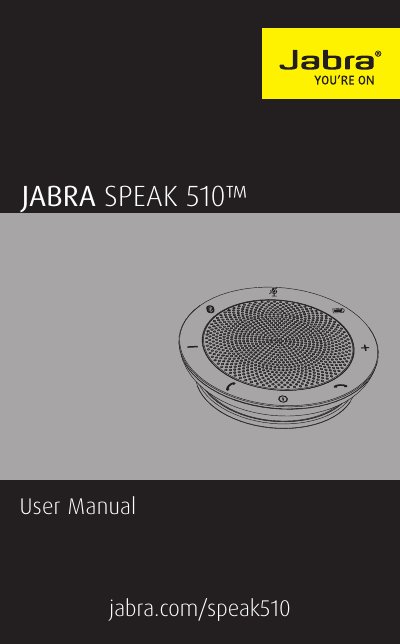
Jabra Speak 510 Speakerphone User Manual
The Jabra Speak 510 is a portable speakerphone designed for wideband audio quality and exceptional sound. It features an omni-directional microphone and allows users to answer, end, reject, and mute calls. The device supports connections to PCs via USB or Jabra Link 360, as well as wireless connections to mobile devices and Bluetooth headsets.
Read onlineJabra Speak 510 specifications
| Weight | 195 g |
|---|---|
| Microphones | Omni-directional |
| Speaker | Dynamic, 50 mm |
| Bluetooth range | Up to 100 m (300 ft), Class 1 |
| Talk time | Up to 15 hours |
| Operating temperature | 5°C to 40°C (41°F to 104°F) |
| Bluetooth version | 3.0 |
All Jabra Speak 510 documents by type
Day-to-day operation, settings and troubleshooting. Start here if the product is already set up.
Questions answered in these manuals
How do I turn on the Jabra Speak 510?
You can plug the USB cable into a PC or press and hold the On/Off button for 2 seconds.
How long does the battery last?
The device offers a talk time of up to 15 hours.
How do you turn on the Jabra Speak 510?
Press and hold the On/Off button for 2 secs to turn the Jabra Speak 510 on or off. You can also plug the USB cable into an available USB port on your PC.
What password do you enter if prompted when pairing a mobile device?
Enter 0000 if prompted for a password.
How do you turn on the Jabra Speak 510?
Press and hold the On/Off button for 2 seconds to turn the Jabra Speak 510 on or off.
How do you charge the Jabra Speak 510?
Plug the USB cable into any available USB port on your computer to charge the battery. The battery light is red when charging, and green for 1 minute when fully charged.