
Key facts
- Brand
- Jabra
- Model
- PanaCast 50
- Category
- Other Electronics
- Industry
- Computers
- Documents
- 2
- Languages
- ZH
- Last added
- 2026-10-21
Start here
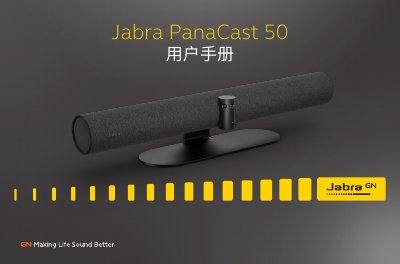
Jabra PanaCast 50 User Manual
The Jabra PanaCast 50 is a video conferencing camera designed for small collaboration spaces. It features full-room coverage with a 180° field of view, utilizing three 13-megapixel cameras and patented real-time video stitching to deliver 4K panoramic video. The device includes intelligent video technology such as Intelligent Zoom and Vivid HDR to ensure optimal video quality in various lighting conditions. This manual is written in Chinese.
Read onlineJabra PanaCast 50 specifications
| Resolution | 4K |
|---|---|
| Microphones | 8 beamforming microphones |
| Cameras | Three 13-megapixel cameras |
All Jabra PanaCast 50 documents by type
Day-to-day operation, settings and troubleshooting. Start here if the product is already set up.
Questions answered in these manuals
What platforms is the Jabra PanaCast 50 compatible with?
It is optimized for Microsoft Teams Rooms, Zoom, and Zoom Rooms.
How does the device handle whiteboard sharing?
It uses dual video streams to show the whiteboard and participants simultaneously without needing a separate content camera.
What is the effective range of the remote control?
The remote control has an effective range of 10 meters (30 feet).
How do I restore the device to factory default settings?
Press and hold the reset button on the back of the device for 5 seconds until the LED flashes pink and an audio notification is heard.