
Key facts
- Brand
- Jabra
- Model
- BT2020
- Industry
- Electronics
- Documents
- 2
- Languages
- EN
- Last added
- 2012-05-09
Start here
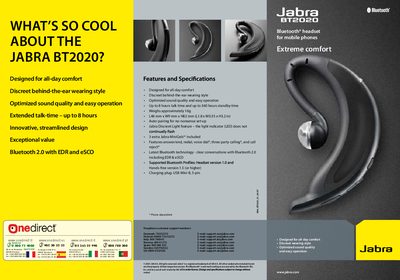
Jabra BT2020 Bluetooth Headset Quick Start Guide
The Jabra BT2020 is a discreet, behind‑the‑ear Bluetooth headset designed for all‑day comfort. It features an ergonomic design, lightweight construction (approximately 16 g), and up to 8 hours of talk time with 360 hours of standby.
The guide walks you through charging the headset, turning it on and off, pairing it with a mobile phone using PIN 0000, and basic usage such as answering calls, adjusting volume, and wearing the MiniGel™ on either ear.
Jabra BT2020 specifications
| Talk time | up to 8 hours |
|---|---|
| Standby time | up to 360 hours |
| Weight | approximately 16 g |
| Dimensions | L46 mm × W9 mm × H82 mm |
| Bluetooth version | 2.0 with EDR and eSCO |
| Supported profiles | Headset 1.0, Hands‑free 1.5 |
| Charging plug | USB Mini‑B, 5‑pin |
All Jabra BT2020 documents by type
Day-to-day operation, settings and troubleshooting. Start here if the product is already set up.
The shortest path to a working setup, usually only a few pages.
Questions answered in these manuals
How do I charge the Jabra BT2020 headset?
Connect the headset to a USB Mini‑B charger until the solid LED turns off, which takes about two hours.
How do I turn the headset on or off?
Press the answer/end button until the LED flashes; this powers the headset on or off.
How do I pair the Jabra BT2020 with my phone?
Turn on the headset; it automatically enters pairing mode, enable Bluetooth on the phone, and confirm the PIN code 0000.
How long does it take to charge the headset?
Charging takes about 2 hours until the solid LED turns off.