
Key facts
- Brand
- Jabra
- Model
- BT8010
- Industry
- Electronics
- Documents
- 2
- Languages
- EN
- Last added
- 2012-05-09
Start here
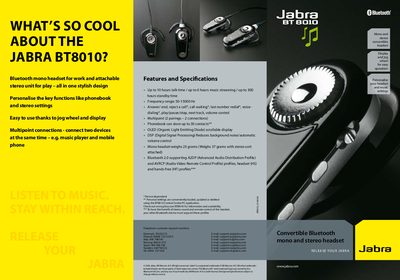
Jabra BT8010 Bluetooth Headset Quick Start Guide
The Jabra BT8010 is a convertible mono‑stereo Bluetooth headset designed for both work and leisure. It offers up to 10 hours of talk time, 6 hours of music streaming, and a 300‑hour standby time, with an OLED scrollable display and DSP‑based noise reduction. The headset supports Bluetooth 2.0 with A2DP, AVRCP, HS and HF profiles, and allows multipoint connections to two devices simultaneously.
The guide explains how to charge the mono unit, enter pairing mode, and connect to a phone or other Bluetooth device. Pairing is performed by sliding the On/Off/Pairing button until “Pairing mode” appears, selecting the headset on the remote device, and entering the default PIN 0000. Additional features such as phonebook storage for up to 30 contacts and stereo unit attachment are also described.
Jabra BT8010 specifications
| Talk time | up to 10 hours |
|---|---|
| Music streaming time | up to 6 hours |
| Frequency range | 50‑15000 Hz |
| Weight (mono) | 23 g |
| Weight (mono + stereo) | 37 g |
| Bluetooth version | 2.0 |
| Multipoint connections | 2 pairings |
| Phonebook capacity | 30 contacts |
All Jabra BT8010 documents by type
The shortest path to a working setup, usually only a few pages.
Questions answered in these manuals
How do I put the Jabra BT8010 into pairing mode?
Slide the On/Off/Pairing button forward until the display shows “Pairing mode”, then release the button.
What PIN is required to pair the headset?
Enter the passkey 0000 (four zeros) when prompted.
How do I put the Jabra BT8010 into pairing mode?
Slide the On/Off/Pairing button forward until the display shows “Pairing mode”, then release the button.
What is the default PIN for pairing?
Enter the passkey 0000 (four zeros) when prompted.