
Key facts
- Brand
- Jabra
- Model
- BT150
- Industry
- Electronics
- Documents
- 2
- Languages
- EN
- Last added
- 2012-05-09
Start here
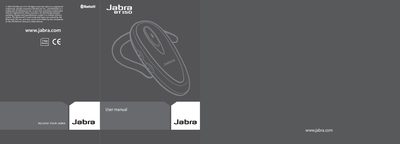
Jabra BT150 User Manual
The Jabra BT150 is a Bluetooth headset designed for hands‑free calling and voice dialing. It features a single LED indicator, volume controls, a charging socket, and an earhook that can be flipped for left‑ or right‑ear use.
This manual walks you through charging the headset, turning it on, pairing it with a mobile phone or a Jabra A210 adapter, using the answer/end button for calls, adjusting volume, interpreting LED signals, troubleshooting common issues, and caring for the device. Warranty and regulatory information are also included.
Jabra BT150 specifications
| Talk time | Up to 6 hours |
|---|---|
| Standby time | Up to 110 hours |
| Weight | 16 g (0.56 oz) |
| Bluetooth version | 1.2 |
| LED status lights | Multi‑coloured LEDs for Bluetooth, battery and charging |
| Answer/end call button | Present |
| Voice dial | Supported |
| Last number redial | Supported |
Source: Jabra BT150 Headset User Manual
All Jabra BT150 documents by type
Day-to-day operation, settings and troubleshooting. Start here if the product is already set up.
Questions answered in these manuals
How do I pair the Jabra BT150 with my phone?
Press the answer/end button and the volume up (+) button together to enter pairing mode, set the phone to discover devices, and enter the PIN 0000 when prompted.
How long does the battery last?
The headset provides up to 6 hours of talk time and up to 110 hours of standby time.
How do I turn the headset on and off?
Press the answer/end button briefly to turn it on; press and hold the same button for about five seconds to turn it off.
From: Jabra BT150 User Manual