
Key facts
- Brand
- Jabra
- Model
- BT160
- Industry
- Electronics
- Documents
- 3
- Languages
- EN
- Last added
- 2023-11-24
Start here
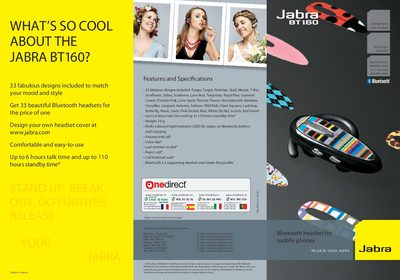
Jabra BT160 Quick Start Guide
The Jabra BT160 is a Bluetooth mobile headset offered in 33 interchangeable designs, letting users match their style while staying hands‑free. It features a lightweight 16 g construction, multi‑coloured LED status indicator, and Bluetooth 1.2 compatibility.
This guide walks you through charging, pairing the headset with a phone, and using core functions such as answering calls, adjusting volume, and swapping the decorative cover. It also lists the main specifications like talk time, standby time, and supported profiles.
Jabra BT160 specifications
| Talk time | up to 8 hours |
|---|---|
| Weight | 0.56 oz (16 g) |
| Operating range | up to 33 feet / 10 m |
| Bluetooth version | 1.2 |
All Jabra BT160 documents by type
Day-to-day operation, settings and troubleshooting. Start here if the product is already set up.
The shortest path to a working setup, usually only a few pages.
Questions answered in these manuals
How long should I charge the headset before first use?
You need to charge the Jabra BT160 headset for two hours before starting to use it.
What does a flashing red light indicate?
A flashing red light indicates that the battery is running low.
How long does it take to fully charge the headset?
Charging takes about 2 hours until the solid blue LED turns off.
How many design options are available for the BT160?
The headset comes with 33 different designs that can be swapped by removing the plastic cover plate.