
Key facts
- Brand
- Jabra
- Model
- CRUISER2
- Category
- Mobilephone Accessories
- Industry
- Electronics
- Documents
- 2
- Languages
- TR · EN
- Last added
- 2026-11-06
Start here
Jabra CRUISER2 Bluetooth In-Car Speakerphone Quick Start Guide
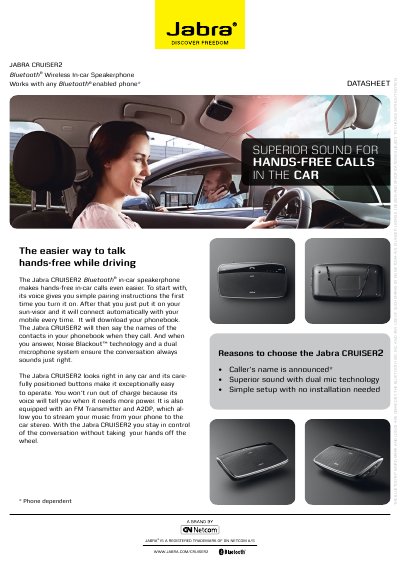
The Jabra CRUISER2 is a Bluetooth in‑car speakerphone that provides hands‑free calling, voice‑guided pairing, dual‑mic Noise Blackout™ technology, and FM/A2DP music streaming.
The guide shows how to charge the unit, turn it on, pair with a phone using PIN 0000, attach it to the sun‑visor, and operate the answer/end, volume, mute, and FM buttons.
Jabra CRUISER2 specifications
| Talk time | Up to 14 hours |
|---|---|
| Standby time | Up to 300 hours |
| Dimensions | L 65 mm x W 130 mm x H 19 mm |
| Weight | 85 grams |
| Operating range | Up to 10 meters (about 33 feet) |
| Supported Bluetooth profiles | HFP, HSP, A2DP, AvRCP, PBAP |
| Bluetooth specification | Version 2.1 + EDR |
| Microphones | Dual microphone technology |
All Jabra CRUISER2 documents by type
Day-to-day operation, settings and troubleshooting. Start here if the product is already set up.
The shortest path to a working setup, usually only a few pages.
Questions answered in these manuals
What PIN do I use to pair the Jabra CRUISER2 with my phone?
Confirm with the passcode or PIN 0000 (four zeros) when the phone asks to pair.
How long does the kit take to charge?
Make sure the kit is fully charged for two hours before you start using it.
How do I pair the Jabra CRUISER2 with my phone?
Turn on the CRUISER2; it will automatically enter pairing mode, activate Bluetooth on your phone, confirm the PIN code 0000, and the phone will confirm when pairing is complete.
From: Jabra CRUISER2 Bluetooth In-Car Speakerphone Quick Start Guide
How do I charge the CRUISER2?
Connect the supplied USB charging cable to the charging port (or use the cigarette‑lighter adapter) and charge until the Battery Status Icon turns green.
From: Jabra CRUISER2 Bluetooth In-Car Speakerphone Quick Start Guide