
This manual provides instructions for setting up, installing, and using the Jabra PanaCast 50 video conferencing camera, including software configuration…
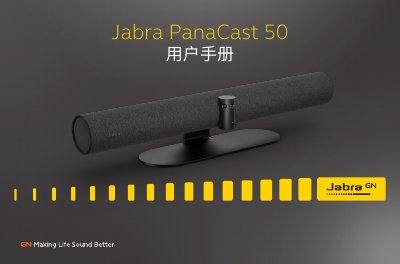
The Jabra PanaCast 50 is a video conferencing camera designed for small collaboration spaces. It features full-room coverage with a 180° field of view, utilizing three 13-megapixel cameras and patented real-time video stitching to deliver 4K panoramic video. The device includes intelligent video technology such as Intelligent Zoom and Vivid HDR to ensure optimal video quality in various lighting conditions. This manual is written in Chinese.
| Field of View | 180° |
|---|---|
| Camera Resolution | 13 megapixels |
| Video Quality | 4K |
| Power Adapter Length | 2 meters |
| USB-C Cable Length | 2 meters |
| Operating Temperature Max | 30° C |
| Operating Temperature Min | 0° C |
The remote control has an effective range of 10 meters (30 feet).
Press and hold the reset button on the back of the device for 5 seconds until the LED flashes pink and an audio notification is heard.