
This is a Jabra Bluetooth headset that has 33 different design options to match your mood and style. It is lightweight and comfortable to wear, and can be used for up to 6 hours on a single charge. It also supports voice dialing and call rejection.
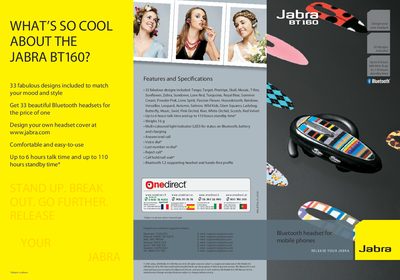
The Jabra BT160 is a Bluetooth mobile headset offered in 33 interchangeable designs, letting users match their style while staying hands‑free. It features a lightweight 16 g construction, multi‑coloured LED status indicator, and Bluetooth 1.2 compatibility.
This guide walks you through charging, pairing the headset with a phone, and using core functions such as answering calls, adjusting volume, and swapping the decorative cover. It also lists the main specifications like talk time, standby time, and supported profiles.
| Talk time | Up to 6 hours |
|---|---|
| Standby time | Up to 110 hours |
| Weight | 16 g |
| Bluetooth version | 1.2 (headset and hands‑free profile) |
| LED indicator | Multi‑coloured light for Bluetooth, battery and charging status |
| Design options | 33 interchangeable designs |
Charging takes about 2 hours until the solid blue LED turns off.
The headset comes with 33 different designs that can be swapped by removing the plastic cover plate.