
Key facts
- Brand
- Epson
- Model
- TM-T82II
- Industry
- Appliances
- Documents
- 3
- Languages
- ZH · EN
- Last added
- 2026-10-24
Start here
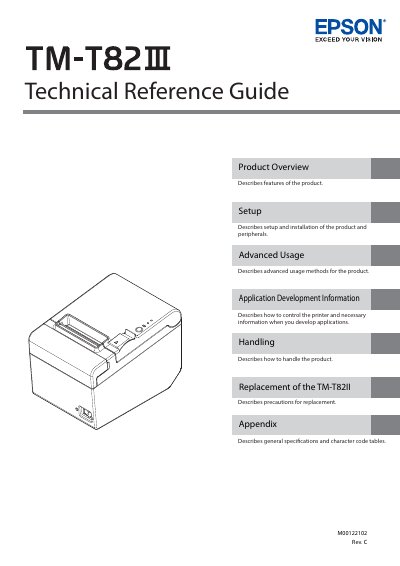
Epson TM-T82II POS Printer Technical Reference Guide
The Epson TM-T82II is a thermal point-of-sale (POS) printer designed for high-speed printing in retail environments. This Technical Reference Guide provides comprehensive information on product features, configurations, and status indicators to assist users in understanding the device's capabilities.
The manual details the complete setup process, including physical installation, connecting various interfaces such as USB, Serial, Parallel, Ethernet, and Wireless LAN, and attaching optional peripherals like cash drawers and external buzzers. It also covers advanced usage modes for configuration and troubleshooting.
Epson TM-T82II specifications
| Supported Operating Systems | Windows 8.1, Windows 8, Windows 7 SP1, Windows Vista SP2, Windows XP SP3, Windows Server 2012 R2, Windows Server 2012, Windows Server 2008 SP2, Windows Server 2008 R2 SP1, Windows Server 2003 R2 SP2, Windows Embedded Standard 7, Windows Embedded POSReady 7, Windows Embedded POSReady 2009, Windows Embedded for Point of Service, Windows Embedded Standard 2009, Windows Embedded Enterprise, Windows Embedded Standard, Windows XP Embedded SP2 |
|---|---|
| USB Interface Speed | USB 2.0 Full Speed (12 Mbps) |
| Ethernet Support | 10/100 Base-T |
| Wireless Support | IEEE802.11b/g/n (2.4GHz/5GHz) |
| Maximum USB Printers | 8 |
Source: Epson TM-T82II Advanced Printer Driver Ver.5 User Manual
All Epson TM-T82II documents by type
Day-to-day operation, settings and troubleshooting. Start here if the product is already set up.
Questions answered in these manuals
What is the minimum previous version required to install APD5?
You must upgrade to APD4.54 or a higher version before installing APD5 on a computer with an older version.
From: Epson TM-T82II Advanced Printer Driver Ver.5 User Manual
Can I install the driver if the printer is offline?
No, you cannot add the printer driver if the printer is in offline status (e.g., cover open or out of paper) when connected via USB.
From: Epson TM-T82II Advanced Printer Driver Ver.5 User Manual
What safety precautions must be taken when handling the power cable?
You must not modify or attempt to repair the cable, and you should avoid excessive bending, twisting, or pulling of it.
What specific equipment is prohibited from being used inside or around this product?
You must not use aerosol sprayers containing flammable gas inside or around this product because doing so may cause fire.
What are the safety warnings for using this printer?
Do not touch the print head immediately after printing as it may be hot, and do not use flammable gas sprays near the device.
How should the printer be mounted on a wall?
Use the included wall bracket, ensuring screws are installed in wood, concrete, or metal walls with sufficient tensile strength.