
Key facts
Start here
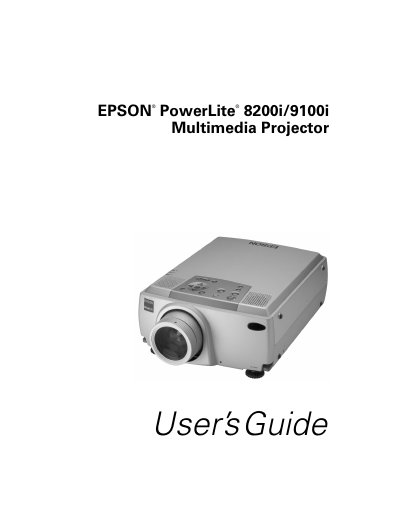
Epson PowerLite 8200i/9100i Multimedia Projector User's Guide
The Epson PowerLite 8200i and 9100i are ultra-bright portable multimedia projectors designed to display brilliant full-color images. The PowerLite 8200i projects up to 3500 ANSI lumens with a resolution of 1024 x 768 pixels, while the PowerLite 9100i offers 2400 lumens and supports 1280 x 1024 pixel resolution. Both models support various video inputs including VGA, SVGA, XGA, SXGA, and UXGA, utilizing a patented SizeWise chip for high-quality image scaling.
Read onlineEpson PowerLite 8200i specifications
| Brightness (PowerLite 8200i) | 3500 ANSI lumens |
|---|---|
| Brightness (PowerLite 9100i) | 2400 lumens |
| Resolution (PowerLite 8200i) | 1024 x 768 pixels |
| Resolution (PowerLite 9100i) | 1280 x 1024 pixels |
| Color Support | 16,770,000 colors |
Source: Epson PowerLite 8200i/9100i Multimedia Projector User's Guide
All Epson PowerLite 8200i documents by type
Day-to-day operation, settings and troubleshooting. Start here if the product is already set up.
Questions answered in these manuals
Can I use the remote control as a wireless mouse?
Yes, if you connect the main cable and mouse cable, you can use the remote control as a wireless mouse.
From: Epson PowerLite 8200i/9100i Multimedia Projector User's Guide
What should I do if I see a blank screen?
Refer to section 41 of this guide for troubleshooting steps when a blank screen appears.
From: Epson PowerLite 8200i/9100i Multimedia Projector User's Guide
Can I use the remote control as a mouse?
Yes, if you connect the main cable and mouse cable, you can use the remote control as a wireless mouse.
From: Epson PowerLite 8200i/9100i Multimedia Projector User's Guide
What should I do if I see a blank screen?
Refer to the section 'What To Do If You See a Blank Screen' in the manual for troubleshooting steps.
From: Epson PowerLite 8200i/9100i Multimedia Projector User's Guide
Can I look into the projector lens when the lamp is on?
No, never look into the projector lens when the lamp is turned on, as the bright light can damage your eyes.
From: Epson PowerLite 8200i/9100i Multimedia Projector User's Guide
How should I handle a new lamp?
Never touch the new lamp with your bare hands; use a cloth or glove to handle it to avoid shortening the lamp life.
From: Epson PowerLite 8200i/9100i Multimedia Projector User's Guide