
Key facts
Start here
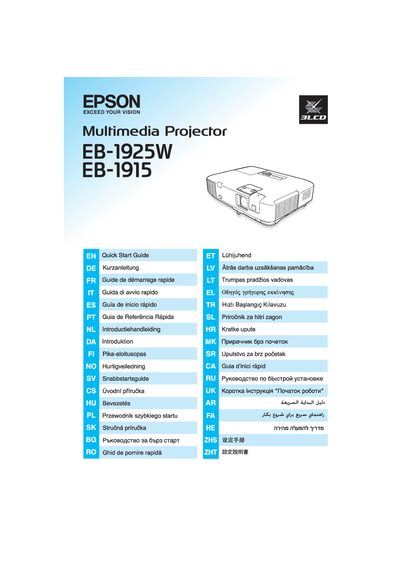
Epson EB-1925W/1915 Projector Quick Start Guide
This Quick Start Guide gives new users fast instructions to set up the Epson EB-1925W and EB-1915 projectors. It includes a brief safety notice and points to the full user guide on the supplied CD‑ROM.
The guide also lists the items included in the packaging and offers multilingual headings for international users. For detailed safety instructions and the complete user manual, refer to the documentation on the CD‑ROM.
Epson EB-1925W specifications
| Dimensions | 357 x 86 x 257 mm |
|---|---|
| Resolution | XGA 1024×768 (also WXGA 1280×800) |
| Lamp | UHE 230 W (model ELPLP53) |
| Power Consumption (working) | 341 W |
| Standby Power (communication on) | 5.5 W |
| Maximum Audio Output | 10 W mono |
| Input Voltage | 100‑240 V AC ±10% 50/60 Hz |
Source: Epson EB-1925W/EB-1920W/EB-1915/EB-1910/EB-1900/EB-1830 Projector User Manual
All Epson EB-1925W documents by type
Day-to-day operation, settings and troubleshooting. Start here if the product is already set up.
The shortest path to a working setup, usually only a few pages.
Questions answered in these manuals
Where can I find detailed safety instructions for the projector?
Detailed safety instructions are available on the CD‑ROM that comes with the documentation.
What is included in the projector box?
The contents of the box are listed under the "Content of the box" section of the guide.
How do I replace the lamp?
The manual provides a step‑by‑step procedure for lamp replacement in the “灯泡更换期 … 9 7 如何更换灯泡” section.
From: Epson EB-1925W/EB-1920W/EB-1915/EB-1910/EB-1900/EB-1830 Projector User Manual
How can I connect the projector to a wireless LAN?
Use the Wi‑Fi Protected Setup method described in the “使用 Wi‑Fi Protected Setup 连接无线 LAN 接入点” section.
From: Epson EB-1925W/EB-1920W/EB-1915/EB-1910/EB-1900/EB-1830 Projector User Manual