
Key facts
Start here
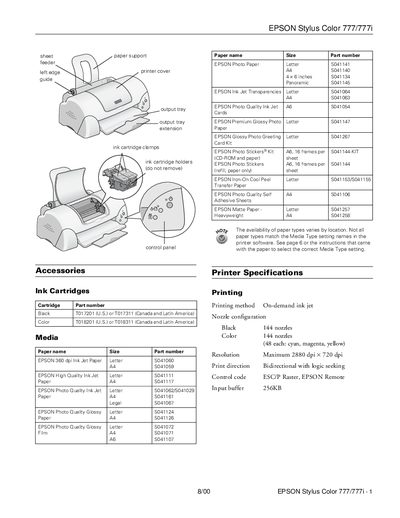
EPSON Stylus Color 777/777i User Manual
This document provides instructions for the EPSON Stylus Color 777/777i inkjet printer. It details the installation of ink cartridges, including precautions for first-time use and handling yellow tape seals. The manual also explains how to load various paper types, such as plain bond, transparencies, and photo paper, into the sheet feeder.
Read onlineEpson Stylus Color 777 specifications
| Printing method | On-demand ink jet |
|---|---|
| Resolution | Maximum 2880 dpi x 720 dpi |
| Sheet feeder capacity | 100 sheets of 17 lb (64 g/m²) paper |
| Power consumption | Approx. 17 W (ISO Letter Pattern) |
All Epson Stylus Color 777 documents by type
Day-to-day operation, settings and troubleshooting. Start here if the product is already set up.
Questions answered in these manuals
What is the print capacity of the black ink cartridge?
The black ink cartridge has a print capacity of 600 pages at 3.5% coverage (ISO/IEC letter pattern).
What should you do if the error light is on?
If the error light is on, check if paper is out, loaded incorrectly, or jammed. If necessary, reload paper or clear the jam.
What is the part number for the front paper guide?
The front paper guide for the Stylus Color 680 is part number 1056434.
What part number corresponds to the spur gear for the Stylus Color 680?
The spur gear for the Stylus Color 680 is part number 1056431.