
Key facts
Start here
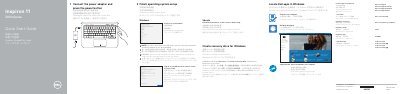
Dell Inspiron 11 3000 Series Laptop Quick Start Guide
This quick start guide covers initial setup for Dell Inspiron 11 3000 Series laptops, including connecting the power adapter, finishing operating system setup, connecting to a network, signing in, locating Dell apps, and creating a recovery drive.
It also identifies external features and shortcut keys, lists regulatory model P24T and regulatory type P24T001, and points to Dell support and manuals.
Dell Inspiron 11 specifications
| Microprocessor | Mobile Intel Pentium 4 processor or Intel Celeron processor |
|---|---|
| L1 cache | 8 KB (internal) |
| L2 cache | 512 KB (Intel Pentium 4); 128 KB (Intel Celeron) |
| External bus frequency | 400/533 MHz |
| System chip set | Intel 852GMV |
| Data bus width | 64 bits |
| DRAM bus width | 64 bits |
| Microprocessor address bus width | 32 bits |
Source: Dell Inspiron 1150 Notebook Owner's Manual Model PP08L
All Dell Inspiron 11 documents by type
Disassembly, diagnostics and part numbers, for repair.
- Dell Inspiron 11 Laptop Service Manual 56 p
- Dell Inspiron 11 Service Manual 52 p
- Dell Inspiron 11 3137 Owner's Manual 49 p
- Dell Inspiron 11 3000 Series (Inspiron 11-3153) Service Manual 86 p
- Dell Inspiron 11 3000 Series (Inspiron 11-3153) Service Manual 90 p
- Dell Inspiron 11 3000 Notebook Service Manual 67 p
- Dell Inspiron 11 3000 Series Service Manual 88 p
- Dell Inspiron 11 3000 (Inspiron 11-3179) Service Manual 88 p
- Dell Inspiron 11 3000 (Inspiron 3180) Laptop Service Manual 114 p
- Dell Inspiron 11 3000 Service Manual 85 p
- Dell Inspiron 11 3000 Service Manual 84 p
- Dell Inspiron 11 3000 Service Manual 108 p
- Dell Inspiron 11 3000 Series Service Manual 85 p
- Dell Inspiron 11 3000 Series Service Manual 91 p
- Dell Inspiron 1122 Service Manual 41 p
- Dell Inspiron 11 3000 Series Service Manual 87 p
- Dell Inspiron 11 3000 Service Manual 137 p
- Dell Inspiron 11 3000 Series Inspiron 11–3162 Laptop Service Manual 90 p
- Dell Inspiron 11 3000 Service Manual 89 p
Day-to-day operation, settings and troubleshooting. Start here if the product is already set up.
- Dell Inspiron 1150 Notebook Owner's Manual Model PP08L 112 p
- Dell Inspiron 11 3000 2-in-1 Laptop Setup and Specifications 23 p
- Dell Inspiron 11 3000 (Inspiron 3180) Laptop Setup and Specifications 24 p
- Dell Inspiron 11 3000 Setup and Specifications Manual 22 p
- Dell Inspiron 1100 User Manual 164 p
- Dell Inspiron 1150 User Manual 118 p
- Dell Inspiron 1100 User Manual 140 p
The shortest path to a working setup, usually only a few pages.
Questions answered in these manuals
What official model number is listed for this Dell Inspiron 11 laptop?
The manual identifies the official model series as P03T and the official type as P03T001.
What specific tools are recommended for performing the procedures in this service manual?
The recommended equipment includes a small flathead screwdriver, a Phillips screwdriver, and a plastic pry tool.
What tools are recommended for removing and installing internal components?
The manual recommends using a small flathead screwdriver, a Phillips screwdriver, and a plastic spudger.
What steps must be taken before removing the main battery?
You must save and close all open files, exit all open programs, and shut down the operating system.
What are the abbreviations and acronyms used in this manual?
For a complete list of abbreviations and acronyms, see the Dell Inspiron Help file.
From: Dell Inspiron 1150 Notebook Owner's Manual Model PP08L
How do I identify my computer for support?
Use the Service Tag located on the bottom of your computer to identify it when using support.dell.com or contacting technical support.
From: Dell Inspiron 1150 Notebook Owner's Manual Model PP08L