
Inspiron 11 3000 Series Quick Start Guide
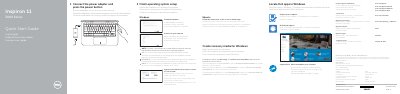
This document serves as a Quick Start Guide for the Dell Inspiron 11-3162 laptop. It provides multilingual instructions (English, Dutch, French, Spanish) for connecting the power adapter, finishing the operating system setup, registering the computer, and enabling Dell updates. The guide also details how to create recovery media for Windows.
| Computer Model | Inspiron 11-3162 |
|---|---|
| Power Adapter Voltage | 100 V CA–240 V CA |
| Power Adapter Frequency | 50 Hz–60 Hz |
| Power Adapter Input Current | 1,30 A |
| Power Adapter Output Voltage | 19,50 V DC |
| Power Adapter Output Current | 2,31 A |
Enter the password for the wireless network access when prompted.
In Windows search, type Recovery, click Create a recovery drive, and follow the instructions on the screen.