
Key facts
Start here
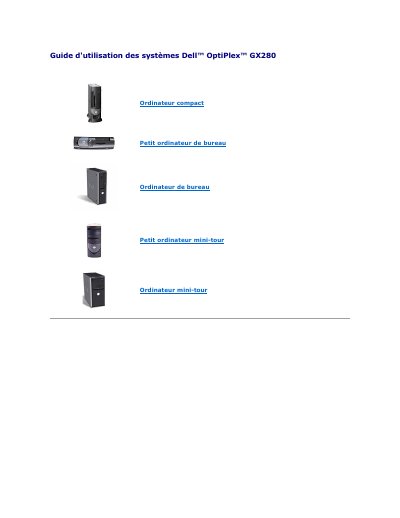
Dell OptiPlex GX280 Systems User's Guide
This guide is the French user's guide for Dell OptiPlex GX280 systems. It covers advanced features such as LegacySelect control, ASF alerts, and Dell OpenManage tools.
It also explains security features including chassis intrusion detection, padlock ring and security cable use, and system password setup. This manual is written in French.
Dell OptiPlex GX280 specifications
| ASF alert support | ASF version 1.03 |
|---|---|
| System password length | Up to 32 characters |
| System battery voltage threshold | 2.2 V or less |
All Dell OptiPlex GX280 documents by type
Day-to-day operation, settings and troubleshooting. Start here if the product is already set up.
Questions answered in these manuals
What does ASF stand for?
ASF stands for Alert Standard Format.
What happens if the chassis is opened when chassis intrusion is set to On?
The setting becomes Detected and an alert message appears at restart: Alert! Cover was previously removed.
What does LegacySelect technology do?
It allows administrators to electronically enable or disable connectors and media devices such as USB, serial, parallel ports, floppy drives, PCI slots, and PS/2 mice.
How does the chassis intrusion detection work?
If enabled, it detects when the computer cover is opened and alerts the user during the boot routine with a message stating the cover was previously removed.
What types of Dell OptiPlex GX280 computers does this guide cover?
This guide covers the Small Form-Factor, Small Desktop, Desktop, Small Mini-Tower, and Mini-Tower computer models.
What are the specific model numbers included in this manual?
The models listed in this document are DHP, DHS, DCNE, DHM, and DCSM.