
Key facts
- Brand
- DELL
- Model
- DP61N
- Category
- Optical drive
- Documents
- 4
- Languages
- ZH · EN · ES
- Last added
- 2026-10-15
Start here
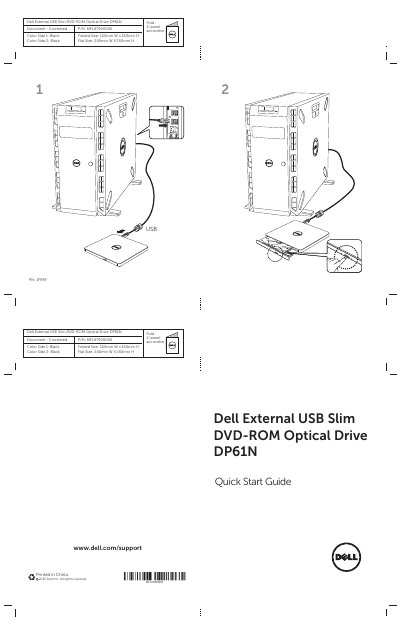
Dell DP61N External USB Slim DVD-ROM Optical Drive Quick Start Guide
This document is the Quick Start Guide for the Dell External USB Slim DVD-ROM Optical Drive, model DP61N. It provides instructions for setting up the device and includes a 2-panel accordion fold-out design.
Read onlineDell DP61N specifications
| Interface | USB 2.0 (480 Mbits/s) |
|---|---|
| Data transfer speed (External) | USB 2.0 (480Mbit/s) |
| Supported disc formats | CD-R/RW, DVD-R/RW/RAM/+R/+RW/+R DL/-R DL, M-DISC |
| CD Read Speed | 24 x max. CAV |
| DVD Read Speed | 8 x max. CAV |
| Operating Temperature | 5 ° to 40 ° C (41 ° to 104 ° F) |
| Dimensions | 144 mm Width x 137.5 mm Depth x 14 mm Height |
| Weight | About 200 g |
Source: Dell External USB Slim DVD-ROM Optical Drive-DP61N User's Guide
All Dell DP61N documents by type
Day-to-day operation, settings and troubleshooting. Start here if the product is already set up.
The shortest path to a working setup, usually only a few pages.
Questions answered in these manuals
What is the maximum data transfer speed of the Dell DP61N drive?
The external host interface supports a data transfer speed of 480 Mbit/s.
How much does the drive weigh?
The drive weighs approximately 200 grams.
How do I manually eject a disc if the button does not work?
Insert a small diameter rod or a stiff wire (like a straightened paper clip) into the emergency eject hole and push firmly until the tray opens.
From: Dell External USB Slim DVD-ROM Optical Drive-DP61N User's Guide
Does this drive require an external power adapter?
No, the drive is PC USB powered and does not need an AC adaptor.
From: Dell External USB Slim DVD-ROM Optical Drive-DP61N User's Guide
How do I insert a disc into the Dell DP61N drive?
Press the eject button to open the tray, place the disc in the center with the label facing up, insert it until seated, then push the tray closed by hand.
From: Dell DP61N Portable Slim External USB DVD-ROM Drive User Manual
What should I do if the disc tray will not open?
Check that the system is on; if media is stuck, power off and on again; otherwise use the emergency eject procedure.
From: Dell DP61N Portable Slim External USB DVD-ROM Drive User Manual