
Key facts
Start here
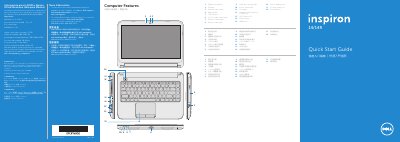
Dell Inspiron 3437/5437 Quick Start Guide
This document serves as a Quick Start Guide for the Dell Inspiron 3437 and Inspiron 5437 laptops. It provides essential information for initial setup, including connecting the power adapter, pressing the power button, and completing the Windows installation. The guide also instructs users on how to locate regulatory and service tag labels.
Read onlineDell Inspiron 3437 specifications
| Regulatory model | P37G |
|---|---|
| Type | P37G003 |
| Input Voltage | 100–240 V CA |
| Input Frequency | 50–60 Hz |
All Dell Inspiron 3437 documents by type
Disassembly, diagnostics and part numbers, for repair.
The shortest path to a working setup, usually only a few pages.
Questions answered in these manuals
What tools are recommended for opening the notebook?
The manual recommends using a Phillips screwdriver and a plastic prying tool.
How long should the power button be held to discharge static electricity?
You must hold the power button down for 5 seconds after unplugging all cables.
How do I turn on the computer?
Press the power button to turn on the computer.
What should I avoid using in my Windows password?
Do not use the @ symbol in your password.
What is the regulatory model number for this laptop?
The regulatory model number is P37G.
Which computer models does this guide cover?
This guide covers the Inspiron 3437 and Inspiron 5437 models.