
Key facts
Start here
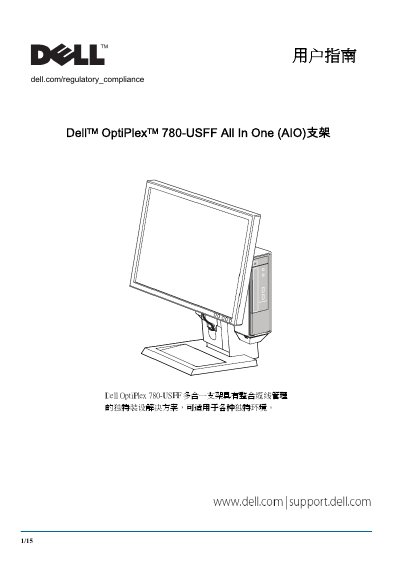
Dell OptiPlex 780-USFF All-in-One Stand User's Guide
This document is the user guide for the Dell OptiPlex 780-USFF All-in-One (AIO) stand. It describes the stand's unique cable management solutions suitable for various environments and lists the components included with the stand, such as the Dell monitor, quick-release mounting plate, and host jacket. The guide also details the various ports and security features like the Kensington security slot and lock ring. This manual is written in Chinese.
Read onlineDell OptiPlex 780-USFF specifications
| Monitor Models | P190S/1909WVP2210 |
|---|---|
| Host Model | OptiPlex 780-USFF |
| Operating Temperature | 32eF 至 95"F (0eC 至 35"C) |
| Power Input (100-120V) | 100-120 V~, 50/60 HZ, 3.5 A |
| Power Input (220-240V) | 220-240 V-~, 50/60 HZ, 1.75 A |
| Security Slot | Kensington |
Source: Dell OptiPlex 780-USFF All-in-One Stand User's Guide
All Dell OptiPlex 780-USFF documents by type
Day-to-day operation, settings and troubleshooting. Start here if the product is already set up.
- Dell OptiPlex 780-USFF All-in-One Stand User's Guide 15 p
- Dell OptiPlex 780-USFF Mounting Bracket User's Guide 14 p
- Dell OptiPlex 780-USFF All-In-One Stand User's Guide 15 p
- Dell OptiPlex 780-USFF AIO Stand User Guide 15 p
- Dell OptiPlex 780-USFF Mount User Manual 14 p
- Dell OptiPlex 780-USFF Mounting Bracket User's Guide 14 p
Questions answered in these manuals
What are the included components of the stand?
The stand includes the AIO stand, cable cover, host jacket, VGA and USB cables, and a quick-release monitor mounting plate.
How should the stand be placed?
The stand must be placed on a level, stable surface to reduce the risk of injury or equipment damage.
What is the maximum weight the mounting bracket can support?
The mounting bracket is designed to support a system weight of up to 3.2 kg (7 lbs).
What are the required tools for wall mounting?
Required tools include a stud finder, tape measure, pencil, level, safety glasses, and an electric drill with a 5 mm wood bit.
What is the maximum weight capacity for the Dell OptiPlex 780-USFF system?
The maximum weight for the Dell OptiPlex 780-USFF system is 7 lbs (3.2 kg).
Which Dell monitors are compatible with this stand?
The stand is compatible with Dell monitors P190S, 1909W, and P2210.