
Inspiron 11 3000 Series Quick Start Guide

Inspiron 11 3000 Series Quick Start Guide.
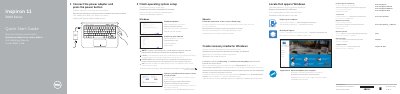

Inspiron 11 3000 Series Quick Start Guide - cover page
Brand
DELL
Category
Laptops
Document type
Quick Start Guide
Language
English
Pages
2
File format
PDF
File size
753 KB
Published
22 November, 2023
Updated
22 November, 2023
MD5 checksum
9E0E0994AB51B30A50A61E37550119C8

About this manual

This document serves as a multilingual Quick Start Guide for the Dell Inspiron 11-3162 laptop. It provides instructions in multiple languages for connecting the power adapter, configuring the operating system, registering the device, and enabling Dell updates. The guide also details how to create recovery media for Windows.

What's inside

  • Connect the power adapter
  • Finish operating system setup
  • Register your computer
  • Product support and manuals
  • Regulatory and safety
  • Features
  • Shortcut keys

Specifications

Computer modelInspiron 11-3162
Regulatory modelP24T
Regulatory typeP24T001

Frequently asked questions

How do I create recovery media for Windows?

In Windows search, type Recovery, click Create a recovery drive, and follow the instructions on the screen.

Where can I find product support and manuals?

Visit Dell.com/support or Dell.com/support/manuals.

Download PDF (753 KB)

More DELL Manuals


View all DELL manuals →