
Dell 7330 Mono Laser Printer Quick Use Guide
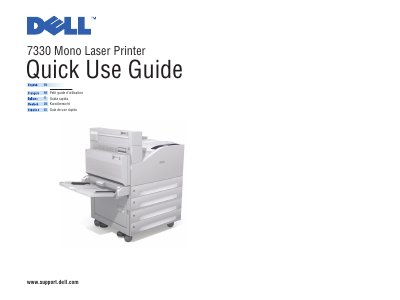
The Dell 7330 Mono Laser Printer Quick Use Guide is a multilingual quick reference for the printer. It covers basic printing, supported paper sizes and weights for the trays, paper tray setup, control panel buttons, paper jams, and a printer tour.
The guide also explains how to use the Help button, Status Monitor messages, and the Supplies Info menu. It lists Dell support and supplies websites and refers to the User Guide for additional printing and troubleshooting details.
| Tray 1, 3, 4, 5, 6 paper weight | 60–215 g/m2 (16 lb. Bond – 57 lb. Bond/80 lb. Cover) |
|---|---|
| Tray 2 paper weight | 60–105 g/m2 (16 lb. Bond – 28 lb. Bond) |
| Tray 1 (MPT) custom size range | SE 89–297 mm (3.5–11.7 in.); LE 98–432 mm (3.87–17.0 in.) |
| Tray 2, 3, 4, 5 custom size range | SE 140–297 mm (5.5–11.7 in.); LE 182–432 mm (7.16–17.0 in.) |
| Tray 2, 3, 4, 5 supported paper sizes | Statement (5.5 x 8.5 in.) through Tabloid (11.0 x 17.0 in.); A5 through A3; B5 JIS through B4 JIS |
| Tray 6 supported paper sizes | Executive (7.25 x 10.5 in.), Letter (8.5 x 11.0 in.), A4 (210 x 297 mm), B5 JIS (182 x 257 mm) |
| Tray 1 (MPT) supported paper sizes | Small Postcard (3.5 x 5.5 in.) through Tabloid (11.0 x 17.0 in.); A6 through A3; B6 JIS through B4 JIS; envelopes Monarch, #10, DL, C5, C4 |
Press the Help button at any time to display additional information about the message or menu.
Press the Help button for jam clearing procedures, then view the Status Monitor message or see the Troubleshooting chapter in the User Guide.
See the Supplies Info menu and print the Supplies Usage page, or visit the Dell Supplies website.
See the Software and Documentation CD or go to www.support.dell.com.