
Dell 7330 Mono Laser Printer Quick Use Guide
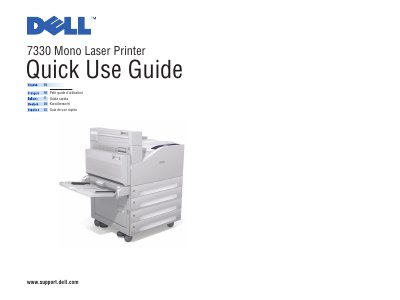
This six-page quick use guide for the Dell 7330 Mono Laser Printer presents the basic steps for printing and for handling paper. It shows how to confirm or change settings and how to select special features in the Dell printer driver from either a Mac or a PC, and it lists the paper sizes and media weights that the trays accept, including the Tray 1 (MPT) custom size ranges.
The guide also explains the control panel buttons, where the Help button shows more about a message or menu, and what to do when a paper jam occurs. A printer tour identifies the fuser, transfer roller, toner cartridge, drum cartridge and staple cartridge, and the final page points to Dell support, supplies and recycling web addresses.
| Supported paper sizes, Tray 1 (MPT) | Small Postcard 3.5 x 5.5 in., Large Postcard 4.0 x 6.0 in., Statement, Executive, Letter, US Folio, Legal, Tabloid, custom, A6 to A3, B6 JIS to B4 JIS, and envelopes Monarch, #10, DL, C5, C4 |
|---|---|
| Supported paper sizes, Tray 6 | Executive 7.25 x 10.5 in., Letter 8.5 x 11.0 in., A4 210 x 297 mm, B5 JIS 182 x 257 mm |
| Media weight, Trays 1, 3, 4, 5, 6 | 60 – 215 g/m2 (16 lb. Bond – 57 lb. Bond / 80 lb. Cover) |
| Media weight, Tray 2 | 60 – 105 g/m2 (16 lb. Bond – 28 lb. Bond) |
| Custom size range, Tray 1 (MPT) | SE 89–297 mm (3.5–11.7 in.); LE 98–432 mm (3.87–17.0 in.) |
| Custom size range, Trays 2, 3, 4, 5 | SE 140–297 mm (5.5–11.7 in.); LE 182–432 mm (7.16–17.0 in.) |
Press the Help button for jam clearing procedures. You can also view the Status Monitor message or see the Troubleshooting chapter in the User Guide.
Select the special features in the Dell printer driver, then confirm or change the settings.
Go to www.dell.com/supplies to order supplies. Supplies information is also available from the Supplies Info menu and the Supplies Usage page.
See the Software and Documentation CD, or go to www.support.dell.com.