
Key facts
Start here
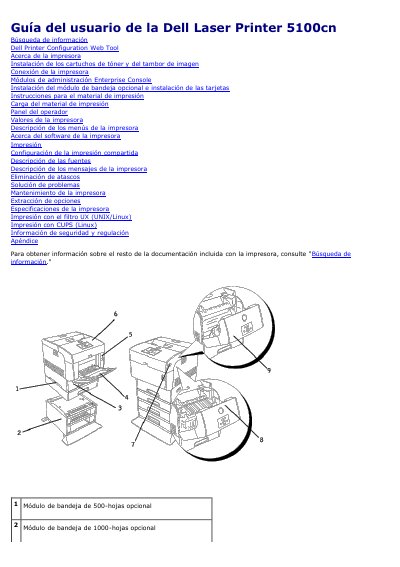
Dell 5100cn Laser Printer User Guide
This user guide for the Dell Laser Printer 5100cn explains how to install the toner cartridges and imaging drum, connect the printer, install optional tray modules and cards, load print media, and use the operator panel. It also describes the printer menus, printer software, printing tasks, shared printing configuration, fonts, and printer messages.
The guide includes procedures for clearing jams, troubleshooting, maintaining the printer, removing options, and printer specifications. It also covers printing with the UX filter (UNIX/Linux) and CUPS (Linux), plus safety and regulatory information and an appendix. This manual is written in Spanish.
Dell 5100cn specifications
| Maximum trays | 4 |
|---|---|
| Standard tray capacity | 500 sheets |
| Optional 500-sheet tray module | Supported |
| Optional 1000-sheet tray module | Supported |
All Dell 5100cn documents by type
Day-to-day operation, settings and troubleshooting. Start here if the product is already set up.
Questions answered in these manuals
How many trays can the Dell 5100cn support?
It supports a maximum of four trays.
What is the capacity of the standard tray?
The standard tray holds 500 sheets.
Where can I find the quick service code and service ID?
They are located on the inside of the front cover of the printer.
How can I order replacement toner cartridges or supplies?
Use Dell's website or order printer supplies by phone.
Where are details for optional tray modules?
See the User's Guide for details on optional tray modules.
How can I order Dell printer supplies?
Dell printer supplies are available only through Dell, online at www.dell.com/supplies or by phone.