
Key facts
- Brand
- Yamaha
- Model
- AW4416
- Industry
- Electronics
- Documents
- 4
- Languages
- EN
- Last added
- 2012-06-11
Start here
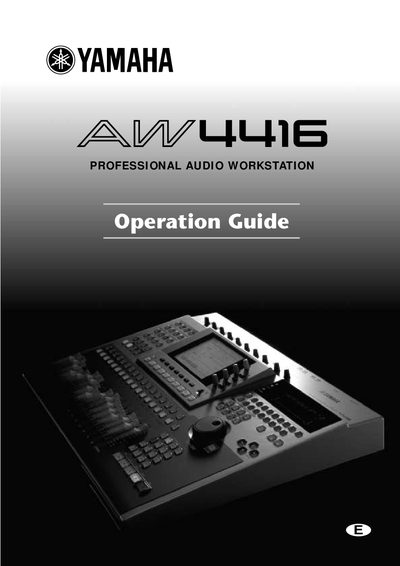
Yamaha AW4416 Operation Guide
This guide explains how to safely set up and operate the Yamaha AW4416 professional audio workstation. It includes important safety warnings, power‑cord requirements, and handling instructions for batteries, CD‑RW media, and internal components.
The manual covers installation of internal hard disks and CD‑RW drives, connection of external SCSI devices, power‑on/off procedures, transport and vibration precautions, and detailed descriptions of the mixer, recorder, and sampling pad sections.
All Yamaha AW4416 documents by type
Day-to-day operation, settings and troubleshooting. Start here if the product is already set up.
Questions answered in these manuals
What is the purpose of the Quick Rec 2 page?
The Quick Rec 2 page allows various input signals/input channels to be freely patched to the tracks of the recorder.
How can you assign specific functions to shortcut keys?
You can assign desired functions to combinations of the [SHIFT] key and other function keys (CTRL+F1-CTRL+F5) in the CTRL Key Assign page.
What is the function of the Quick Rec screen?
The Quick Rec screen allows for simultaneously recording 16 inputs onto 16 tracks.
From: Yamaha AW4416 Professional Audio Workstation Reference Guide
How do I create an audio CD with this device?
You can use the built-in CD-RW drive to create an audioCD.
From: Yamaha AW4416 Professional Audio Workstation Reference Guide
What is the maximum number of inputs and tracks that can be recorded simultaneously?
The Quick Rec screen allows for the simultaneous recording of 16 inputs and 16 tracks.
From: Yamaha AW4416(1) Professional Audio Workstation Reference Guide
Can this workstation create audio CDs using its built-in drive?
Yes, the device uses a CD-RW drive to create an audioCD.
From: Yamaha AW4416(1) Professional Audio Workstation Reference Guide