
The ViewSonic Tablet PC V1100 is a fully functional network-ready PC in a convenient tablet form factor featuring integrated WAN, LAN and Wi-Fi.
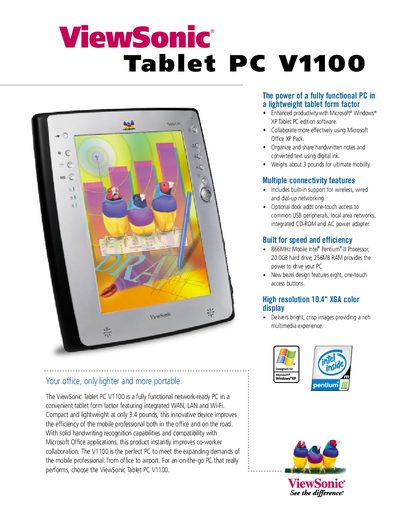
The ViewSonic V1100 Tablet PC is a fully functional, network‑ready PC in a compact tablet form factor. Weighing about 3 pounds (the optional dock version 3.4 lbs), it offers mobility for professionals with built‑in Wi‑Fi, Ethernet, and a 56 Kbps modem.
The leaflet lists key specifications such as an 866 MHz Mobile Intel Pentium III processor, 256 MB SDRAM (expandable to 512 MB), a 20 GB hard drive, and a 10.4‑inch XGA TFT LCD display. It also details optional accessories like a dock, keyboard, stylus, battery charger, and protective case.
| Operating System | Microsoft Windows XP Tablet PC Edition |
|---|---|
| Memory | 256 MB SDRAM (expandable to 512 MB) |
| Hard Disk | 20.0 GB |
| Wi‑Fi | Built‑in 802.11b Mini‑PCI Wi‑Fi |
| Ethernet | Fast Ethernet port |
| Modem | 56 Kbps V.90 RJ‑11 modem |
| Graphics | Intel embedded, AGP 4X |
| Display | 10.4" XGA TFT LCD, 1024×768 landscape |
| Expansion Slots | One Type II PC Card, One Type II CompactFlash |
| Ports | Firewire, 2 USB, audio in/out, Mini‑VGA, dock connector |
The tablet itself weighs about 3 pounds, while the optional dock version weighs 3.4 pounds.
It is powered by an 866 MHz Mobile Intel Pentium III processor.
The device runs Microsoft Windows XP Tablet PC Edition.