
Key facts
- Brand
- TCL
- Model
- USB(8)
- Category
- Other Electronics
- Industry
- Electronics
- Documents
- 2
- Languages
- EN · ZH
- Last added
- 2012-05-05
Start here
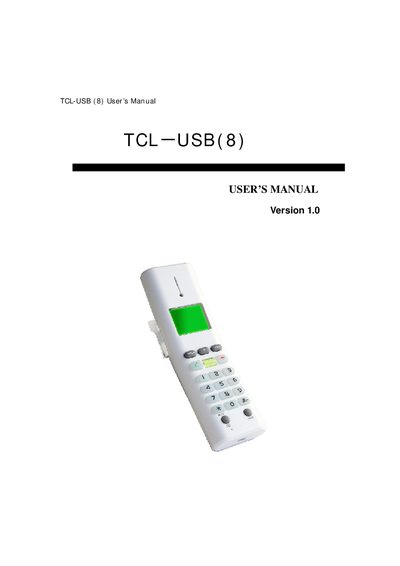
TCL-USB (8) User Manual
This manual guides you through installing the USB driver, connecting the TCL-USB (8) to a PC, and integrating it with Skype. It includes step‑by‑step instructions for driver installation, system requirements, and initial setup, as well as a description of the phone’s keys and functions.
The document also offers troubleshooting tips for common issues such as Skype access problems, LCD display errors, and audio transmission failures. Detailed key functions and configuration options are listed to help users operate the device effectively.
TCL USB(8) specifications
| USB interface | USB 1.1 and 2.0, plug and play |
|---|---|
| Power source | No external power needed |
| Display | Lattice LCD screen |
| Audio processing | Echo cancellation and noise suppressor |
| Language support | Multi‑language display (Chinese, English, Spanish, etc.) |
| Operating system | Microsoft Windows 2000/XP or above |
| Memory requirement | 64 MB or above |
| Hard‑disk requirement | 100 MB or above |
| USB ports | Supported |
Source: TCL-USB (8) User Manual
All TCL USB(8) documents by type
Day-to-day operation, settings and troubleshooting. Start here if the product is already set up.
Questions answered in these manuals
How do I install the driver for the TCL-USB (8)?
Run the TCL_USBDriver.exe file from the supplied CD, follow the setup wizard, and do not insert the phone into the USB port until prompted.
From: TCL-USB (8) User Manual
How can I connect the TCL-USB (8) to Skype?
After installing the driver, launch the USB Driver program, start Skype, and allow the program to use Skype when prompted.
From: TCL-USB (8) User Manual
What operating systems are supported?
The device supports Windows 2000, Windows XP, and later versions.
Do I need to install a hardware driver?
No, the device is USB plug-and-play for Windows 2000 and above, but a specific driver software is required for Skype usage.