
Key facts
- Brand
- TCL
- Model
- L40M9
- Documents
- 6
- Languages
- ZH
- Last added
- 2012-03-21
Start here
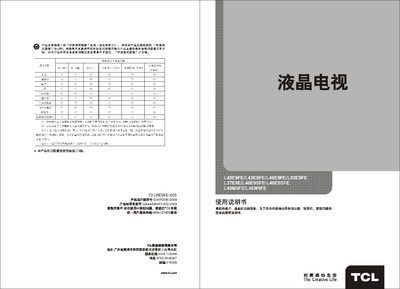
TCL L40E9FE/L42E9FE/L46E9FE/L52E9FE/L37E9E/L40E9SFE/L46E9SFE/L40M9FE/L46M9FE Television User Manual
This manual provides step‑by‑step instructions for installing and using TCL L‑series LCD televisions. It includes safety warnings, connection diagrams, remote‑control functions, and detailed operating procedures.
Additional sections cover network streaming features, USB/PCLink/mitv functions, technical specifications, and a troubleshooting guide to help resolve common issues such as picture loss or audio problems. This manual is written in Chinese.
TCL L40M9 specifications
| Screen diagonal size | ≈101 cm – 117 cm (model dependent) |
|---|---|
| Audio output power | 8 W + 8 W (left + right) |
| Working voltage | 220 V / 50 Hz |
| Rated power consumption | 150 W – 220 W (model dependent) |
Source: TCL L40M9SFBD L42M9SFBD L46M9SFBD L40E9SFBD L46E9SFBD TV User Manual
All TCL L40M9 documents by type
Day-to-day operation, settings and troubleshooting. Start here if the product is already set up.
- TCL L40E9FE/L42E9FE/L46E9FE/L52E9FE/L37E9E/L40E9SFE/L46E9SFE/L40M9FE/L46M9FE Television User Manual 25 p
- TCL L40M9SFBD L42M9SFBD L46M9SFBD L40E9SFBD L46E9SFBD TV User Manual 13 p
- TCL L40M9HBD/L42M9HBD/L46M9HBD/L40E9SHBD/L46E9SHBD Television User Manual 17 p
- TCL L40M9F/L46M9F/L40E9SF/L46E9SF Television User Manual 17 p
- TCL L40M9/L40E9S Television User Manual 16 p
Questions answered in these manuals
Why is streaming video not smooth?
Check your network bandwidth; streaming requires at least 512 kbps, and HD video needs higher bandwidth. Also consider network congestion during peak times.
From: TCL L40E9FE/L42E9FE/L46E9FE/L52E9FE/L37E9E/L40E9SFE/L46E9SFE/L40M9FE/L46M9FE Television User Manual
What should I do if there is no picture and no sound?
Verify the antenna or cable connection, check the power supply, ensure the TV is set to the correct input source, and confirm the remote control batteries are installed correctly.
From: TCL L40E9FE/L42E9FE/L46E9FE/L52E9FE/L37E9E/L40E9SFE/L46E9SFE/L40M9FE/L46M9FE Television User Manual
How do I reset the TV to factory settings?
Select the ‘Restore Factory Settings’ option in the menu to return the TV to its original configuration.
From: TCL L40M9SFBD L42M9SFBD L46M9SFBD L40E9SFBD L46E9SFBD TV User Manual
How can I adjust the picture brightness?
Enter the ‘Picture Settings’ menu, select ‘Backlight’, and use the left/right keys to increase or decrease brightness.
From: TCL L40M9SFBD L42M9SFBD L46M9SFBD L40E9SFBD L46E9SFBD TV User Manual
How do I change channels with the remote control?
Press the numeric keys on the remote to enter a three‑digit channel number, or use the up/down keys to step through channels.
From: TCL L40M9HBD/L42M9HBD/L46M9HBD/L40E9SHBD/L46E9SHBD Television User Manual
What should I do if there is no picture or no sound?
Check that the antenna or cable is connected, verify the TV’s power is on, ensure the correct input source is selected, and confirm the volume is not muted. If the problem persists, refer to the troubleshooting section.
From: TCL L40M9HBD/L42M9HBD/L46M9HBD/L40E9SHBD/L46E9SHBD Television User Manual