
Key facts
- Brand
- TCL
- Model
- L40X9F
- Category
- Television
- Industry
- Electronics
- Documents
- 5
- Languages
- ZH
- Last added
- 2012-03-22
Start here
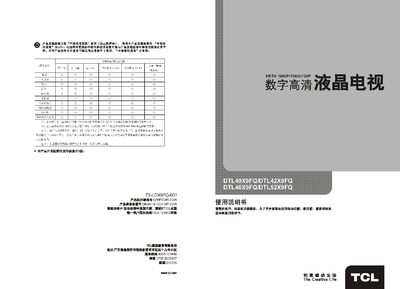
TCL DTL40X9FQ / DTL42X9FQ / DTL46X9FQ / DTL52X9FQ User Manual
This manual covers the TCL DTL40X9FQ, DTL42X9FQ, DTL46X9FQ and DTL52X9FQ digital high‑definition televisions. It explains the product’s features, specifications, and how to install and operate the TV safely.
Key sections include safety warnings, a list of supplied accessories, connection diagrams, remote‑control usage, basic operation (power on/off, channel and volume control), menu navigation (image, sound, channel, settings, adjustment), media‑center functions, and a fault‑analysis guide to help resolve common issues. This manual is written in Chinese.
TCL L40X9F specifications
| Audio output power | 左+右音箱 SMW48W NSW HSW 8Ws8W |
|---|---|
| Working voltage | 220V 50Hz |
| Screen diagonal size | 可视图像对角线尺寸 Tolem 107em Tigem 132em |
| Reception frequency band | 470‑862 MHz |
Source: TCL DTL40X9FQ / DTL42X9FQ / DTL46X9FQ / DTL52X9FQ User Manual
All TCL L40X9F documents by type
Day-to-day operation, settings and troubleshooting. Start here if the product is already set up.
- TCL DTL40X9FQ / DTL42X9FQ / DTL46X9FQ / DTL52X9FQ User Manual 19 p
- TCL L40X9FRM/L42X9FRM/L46X9FRM/L52X9FRM Television User Manual 17 p
- TCL L52X9FDRC/L46X9FDRC/L42X9FDRC/L40X9FDRC/L52X9FRC/L46X9FRC/L42X9FRC/L40X9FRC TV User Manual 17 p
- TCL L40X9FDM/L42X9FDM/L46X9FDM/L52X9FDM Television User Manual 17 p
- TCL L32X9/L37X9/L37X9F/L40X9F/L42X9F/L46X9F/L52X9F LCD TV User Manual 16 p
Questions answered in these manuals
What is the environmental usage period for this TV?
The environmental usage period is one year.
From: TCL L40X9FRM/L42X9FRM/L46X9FRM/L52X9FRM Television User Manual
How do I replace the batteries in the remote control?
Open the back of the remote, insert two 7‑size batteries with the correct polarity, and close the cover.
From: TCL L40X9FRM/L42X9FRM/L46X9FRM/L52X9FRM Television User Manual
How do I replace the batteries in the remote control?
Open the battery compartment on the back of the remote, insert two AA (7号) batteries with the correct polarity, and close the cover.
From: TCL L52X9FDRC/L46X9FDRC/L42X9FDRC/L40X9FDRC/L52X9FRC/L46X9FRC/L42X9FRC/L40X9FRC TV User Manual
What should I do if there is no picture or sound?
Check that the TV is powered on, verify all video and audio cables are securely connected, and ensure the remote control is functioning.
From: TCL L40X9FDM/L42X9FDM/L46X9FDM/L52X9FDM Television User Manual
Why is the remote control not working?
Make sure the remote’s batteries are fresh, point the remote directly at the TV’s sensor, and confirm no obstacles block the infrared signal.
From: TCL L40X9FDM/L42X9FDM/L46X9FDM/L52X9FDM Television User Manual
How do I replace the batteries in the remote control?
Open the back cover of the remote, then insert two size‑7 batteries according to the polarity markings inside the battery compartment.
From: TCL L32X9/L37X9/L37X9F/L40X9F/L42X9F/L46X9F/L52X9F LCD TV User Manual