
Key facts
- Brand
- TCL
- Model
- L32P10
- Industry
- Electronics
- Documents
- 5
- Languages
- ZH
- Last added
- 2012-03-22
Start here
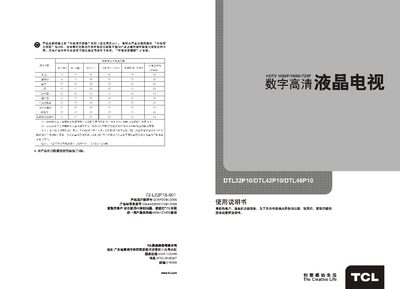
TCL DTL32P10/DTL42P10/DTL46P10 User Manual
This manual introduces the TCL high‑definition LCD TV series (DTL32P10, DTL42P10, DTL46P10), covering safety precautions, included accessories, and the main functions of the television and its remote control.
It then details connection diagrams, basic operation, menu structure, image and sound settings, supported source formats, and a fault‑analysis guide to help resolve common issues such as no picture, no sound, or interference. This manual is written in Chinese.
TCL L32P10 specifications
| Working voltage | 220 V ~ 50 Hz |
|---|---|
| Rated power consumption | 120 W (32"), 200 W (42"), 230 W (46") |
| Screen diagonal | 80 cm / 107 cm / 116 cm |
| Dimensions (W×H×D) | 804×534×83 mm (32"), 1034×664×83 mm (42"), 1124×716×102 mm (46") |
| Weight | 12 kg (32"), 18 kg (42"), 23 kg (46") |
| Operating temperature | 5 °C ~ 35 °C |
| Operating humidity | 20 % ~ 80 % |
| Receiving frequency range | 470 MHz (full‑band cable TV) |
All TCL L32P10 documents by type
Day-to-day operation, settings and troubleshooting. Start here if the product is already set up.
- TCL DTL32P10/DTL42P10/DTL46P10 User Manual 21 p
- TCL L19V10BE/L19P10BE/L22V10BE/L22P10BE/L24V10BE/L24P10BE/L26V10BE/L26P10BE-L32V10BE/L32V10FBE/L32V10FBEG/L32P10BE/L32P10FBE/L32P10FBEG/L37V10BE-L37V10FBE/L37V10FBEG/L37P10BE/L37P10FBE/L37P10FBEG/L40V 17 p
- TCL L32P10 Television User Manual 11 p
- TCL L32P10BDE TV User Manual 20 p
- TCL L32P10ABD Television User Manual 15 p
Questions answered in these manuals
What should I do if there is no picture and no sound?
Check the household fuse or circuit breaker, ensure the power switch is on, verify the power cable connection, and confirm a valid signal source.
How should I clean the LCD screen?
Use a dry, soft, lint‑free cloth or a liquid‑crystal‑specific cleaner; do not press on the screen or use water or chemical cleaners.
How can I watch a movie or TV series after it has been downloaded?
After the download finishes, go to “My Movies” or “My TV series”, select the file and press the confirm key to start playback.
Can I change the download location for media files?
Yes, you can set the download folder in System → Function Settings → Download Settings.
What file formats are supported for USB playback?
The TV supports JPEG images and MP3 audio files when a USB device is connected.
What does “green download” mean?
The TV screen is turned off while the download module continues working in the background.