
Key facts
- Brand
- TCL
- Model
- SL42M6
- Industry
- Electronics
- Documents
- 2
- Languages
- ZH
- Last added
- 2012-03-21
Start here
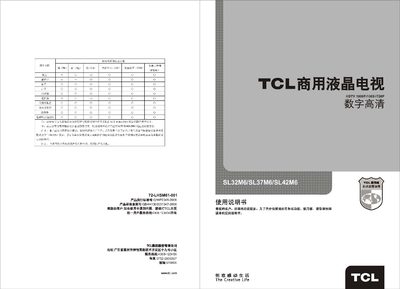
TCL SL42M6 Television User Manual
This manual introduces the TCL SL42M6 liquid‑crystal television, its high‑resolution display, multiple video inputs (HDMI, VGA, AV) and built‑in features such as infrared remote control, picture modes and audio equalisation. It also lists the standard accessories supplied with the set.
Safety warnings, installation guidance, detailed connector diagrams and a full troubleshooting section help users operate the TV safely and resolve common issues such as no picture, no sound, or remote‑control problems. This manual is written in Chinese.
TCL SL42M6 specifications
| Audio output power (L+R) | 10W+10W |
|---|---|
| Working voltage | 220V~ 50Hz |
| Rated power consumption | 120W |
| Operating temperature range | 5 °C – 35 °C |
| Storage temperature range | -15 °C – 45 °C |
| Supported TV standards | PAL D/K, BG, NTSC |
| Preset channel memory | 200 channels |
All TCL SL42M6 documents by type
Day-to-day operation, settings and troubleshooting. Start here if the product is already set up.
Questions answered in these manuals
Why is there no picture and no sound?
Check the fuse or circuit breaker, try another electrical device in the outlet, ensure the power plug contacts the outlet, and verify the signal source.
What should I do if the remote control does not work?
Replace the batteries, make sure they are installed correctly, and confirm that the main power is connected.
What should I do if I won’t use the TV for a long time?
Unplug the power‑cord plug from the outlet.
How should I clean the LCD screen?
Use a dry, soft cloth or a LCD‑specific cleaning agent; do not apply pressure or use water or chemicals.