
Key facts
Start here
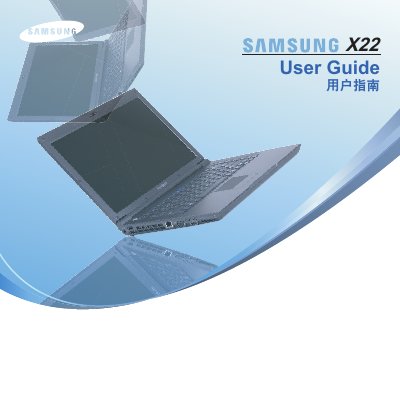
Samsung X22 Notebook Computer User Guide
The Samsung X22 is a notebook computer featuring an Intel Core 2 Duo or Celeron M processor and a 14.1-inch LCD display. This manual covers system requirements, initial setup procedures, and detailed instructions for using various pre-installed applications such as Play AVStation, Movie Station, Music Station, Photo Station, and Play Camera.
Read onlineSamsung X22 specifications
| Native resolution | 1440 x 900 (1680 x 1050) |
|---|---|
| Video inputs | D‑sub, DVI |
| VESA compatibility | VESA DDC |
Source: Samsung SyncMaster 943EW/943EWX/2043EW/2043EWX/2243EW/2243EWX LCD Monitor User Manual
All Samsung X22 documents by type
Day-to-day operation, settings and troubleshooting. Start here if the product is already set up.
- Samsung X22 Notebook Computer User Guide 192 p
- Samsung SCX-6x22 Series User Manual 148 p
- Samsung SyncMaster 943SW/943SWX/2043SW/2043SWX/2243SW/2243SWX LCD Monitor User Manual 165 p
- Samsung SyncMaster 943EW/943EWX/2043EW/2043EWX/2243EW/2243EWX LCD Monitor User Manual 147 p
- samsung SyncMaster 943SN/943SNX/2043SN/2043SNX/ 2243SN/2243SNX/2243LNX LCD display user manual 191 p
- Samsung SyncMaster 2043BW/2043BWX/2243BW/2243BWX LCD Display User Manual 84 p
- Samsung VP-X205L / VP-X210L / VP-X220L Videography All-in-One User Manual 144 p
- Samsung BX2035/BX2235/BX2335 LCD Monitor User Manual 43 p
- samsung B1740R/ B1740RX/ B1940M/ B1940MX/ B1940R/ B1940RX/ B1940MR/ B1940MRX/ B1940W/ B1940WX/ B2240/ B2240X/ B2240W/ B2240WX/ B2240M/ B2240MX/ B2240MW/ B2240MWX/ BX2240/ BX2240X/ B2340/ B2440L/ B24 165 p
- Samsung SyncMaster BX1950/BX1950N/BX2050/BX2050N/BX2250/BX2250N LCD Monitor User Manual 72 p
- Samsung SyncMaster BX1931N/BX2031/BX2031N/BX2231/BX2331/BX2431 Monitor User Manual 61 p
Questions answered in these manuals
What operating systems are supported?
The computer supports Windows Vista, as well as Windows 98, ME, 2000, and 2003 Server.
What is the display size?
The notebook features a 14.1-inch LCD screen.
What is the native resolution of the display?
The native resolution is 1920 × 1080 pixels.
From: Samsung SyncMaster 943SW/943SWX/2043SW/2043SWX/2243SW/2243SWX LCD Monitor User Manual
Is the monitor ENERGY STAR certified?
Yes, the manual indicates ENERGY STAR® certification.
From: Samsung SyncMaster 943SW/943SWX/2043SW/2043SWX/2243SW/2243SWX LCD Monitor User Manual
What is the native resolution of the monitor?
The monitor supports a native resolution of 1440 × 900 (up to 1680 × 1050).
From: Samsung SyncMaster 943EW/943EWX/2043EW/2043EWX/2243EW/2243EWX LCD Monitor User Manual
Which video connectors are supported?
The monitor provides D‑sub and DVI inputs for video signals.
From: Samsung SyncMaster 943EW/943EWX/2043EW/2043EWX/2243EW/2243EWX LCD Monitor User Manual