
Key facts
- Brand
- Samsung
- Model
- SCX-5835/5935 系列
- Category
- Printer
- Industry
- Electronics
- Documents
- 2
- Languages
- PT · EN
- Last added
- 2026-11-22
Start here
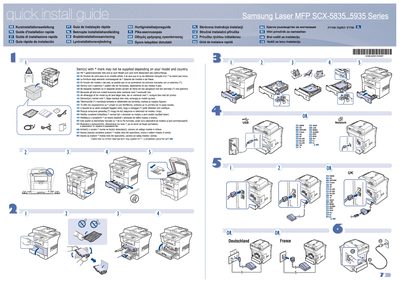
Samsung SCX-5835/5935 Series Laser MFP Quick Installation Guide
The guide offers concise, multilingual instructions for installing the Samsung SCX-5835/5935 Series laser MFP. It lists optional items that may not be supplied depending on the model and country, marked with an asterisk (*).
For network connectivity, users are directed to the Network setup section in the full User's Guide. Safety guidelines are also highlighted, advising users to read the safety instructions in the User's Guide on the supplied CD‑ROM before operating the printer.
All Samsung SCX-5835/5935 系列 documents by type
Day-to-day operation, settings and troubleshooting. Start here if the product is already set up.
The shortest path to a working setup, usually only a few pages.
Questions answered in these manuals
What is the SCX-5835/5935 series?
It is a multifunction printer.
From: Samsung SCX-5835/5935 Series Multifunction Printer User Manual
Where can documents be placed for scanning?
Documents can be placed on the scanner glass.
From: Samsung SCX-5835/5935 Series Multifunction Printer User Manual
What does an asterisk (*) next to an item mean?
Items marked with an asterisk may not be supplied depending on the model and country.
From: Samsung SCX-5835/5935 Series Laser MFP Quick Installation Guide
Where are the safety guidelines for this printer?
The safety guidelines are in the User's Guide on the supplied CD‑ROM.
From: Samsung SCX-5835/5935 Series Laser MFP Quick Installation Guide