
Key facts
- Brand
- Panasonic
- Model
- KX-FHD301
- Category
- Fax machine
- Industry
- Computers
- Documents
- 3
- Languages
- EN
- Last added
- 2012-08-07
Start here
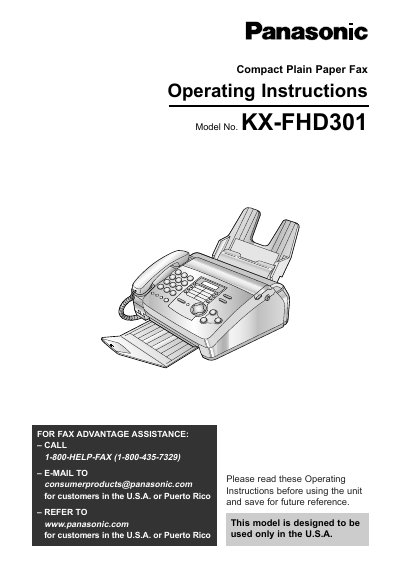
Panasonic KX-FHD301 Compact Plain Paper Fax Operating Instructions
This manual provides operating instructions for the Panasonic KX-FHD301 Compact Plain Paper Fax. It details initial preparation steps, including setting up accessories like the film cartridge and paper stacker, as well as configuring date, time, and fax numbers.
The guide covers essential functions such as making copies, sending and receiving faxes manually or via one-touch dialing, and utilizing Caller ID services. It also includes sections on troubleshooting common issues, replacing parts, and understanding error messages.
Panasonic KX-FHD301 specifications
| Document width | 216 mm (8 ½ in) |
|---|---|
| Document length | 600 mm (23 5/8 in) |
| Scanning resolution (horizontal) | 8 pels/mm (203 pels/inch) |
| Scanning resolution (standard vertical) | 3.85 lines/mm (98 lines/inch) |
| Halftone level | 64‑level |
| Standby power consumption | ≈ 3.5 W |
| Maximum power consumption (copying 100 % black) | ≈ 135 W |
| Dimensions (H×W×D) | 143 × 325 × 308 mm |
| Weight | ≈ 4.1 kg (9 lb) |
| Power supply | 120 V AC, 60 Hz |
| Modem speed | 9,600/7,200/4,800/2,400 bps |
| Memory capacity (transmission) | ≈ 25 pages |
| Memory capacity (reception) | ≈ 28 pages |
All Panasonic KX-FHD301 documents by type
Disassembly, diagnostics and part numbers, for repair.
Day-to-day operation, settings and troubleshooting. Start here if the product is already set up.
Questions answered in these manuals
What is the length of the included film cartridge?
The included film cartridge is 10 meters (32 1/2 feet) long.
From: Panasonic KX-FHD301 Compact Plain Paper Fax Operating Instructions
What model number should be used for replacement film cartridges?
For best results, use the genuine Panasonic replacement film cartridge Model No. KX-FA65.
From: Panasonic KX-FHD301 Compact Plain Paper Fax Operating Instructions
What is the model number of the Compact Plain Paper FAX described in this layout?
The model number for this fax machine is KX-FHD301.
From: Panasonic KX-FHD301 Compact Plain Paper FAX Control Panel Layout
Which button on the control panel serves as the PAUSE button?
The REDIAL button is also used as the PAUSE button.
From: Panasonic KX-FHD301 Compact Plain Paper FAX Control Panel Layout
How do I perform the insulation resistance test?
Unplug the power cord, short the two prongs of the plug with a jumper wire, turn the power switch on, then measure the resistance between the jumpered plug and each exposed metal cabinet part with an ohmmeter.
What safety steps should be taken before servicing the fax unit?
Always unplug the AC power cord, use only manufacturer‑recommended replacement parts, check the condition of the power cord, and after service restore all lead dress, insulation barriers, and shields before returning the equipment to the customer.