
This is a maintenance manual for the KX-FHD301 (U.S.A.) Compact Plain Paper FAX.
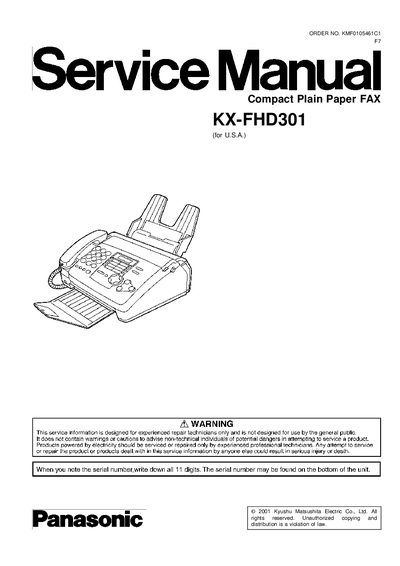
This service manual provides detailed information for experienced technicians working on the Panasonic KX-FHD301 Compact Plain Paper Fax. It includes safety precautions, inspection procedures, and step‑by‑step disassembly instructions for all major assemblies such as the paper tray, motor block, and circuit boards.
The document also contains a comprehensive troubleshooting guide, replacement parts list, optional accessories, and full specifications of the unit, including dimensions, power consumption, and performance data. All instructions are intended for professional service use only.
| Document width | 216 mm (8 ½ in) |
|---|---|
| Document length | 600 mm (23 5/8 in) |
| Scanning resolution (horizontal) | 8 pels/mm (203 pels/inch) |
| Scanning resolution (standard vertical) | 3.85 lines/mm (98 lines/inch) |
| Halftone level | 64‑level |
| Standby power consumption | ≈ 3.5 W |
| Maximum power consumption (copying 100 % black) | ≈ 135 W |
| Dimensions (H×W×D) | 143 × 325 × 308 mm |
| Weight | ≈ 4.1 kg (9 lb) |
| Power supply | 120 V AC, 60 Hz |
| Modem speed | 9,600/7,200/4,800/2,400 bps |
| Memory capacity (transmission) | ≈ 25 pages |
| Memory capacity (reception) | ≈ 28 pages |
Unplug the power cord, short the two prongs of the plug with a jumper wire, turn the power switch on, then measure the resistance between the jumpered plug and each exposed metal cabinet part with an ohmmeter.
Always unplug the AC power cord, use only manufacturer‑recommended replacement parts, check the condition of the power cord, and after service restore all lead dress, insulation barriers, and shields before returning the equipment to the customer.
The manual recommends using GR2032 (BAT501) batteries, either manufactured by Matsushita or Sony, as the correct replacement type.
First verify that the recording paper is installed correctly, then try changing the "718: Receive speed select" setting to 7200, 4800, or 2400 bps, and adjust the "596: Transmit level set" if needed.