
Key facts
Start here
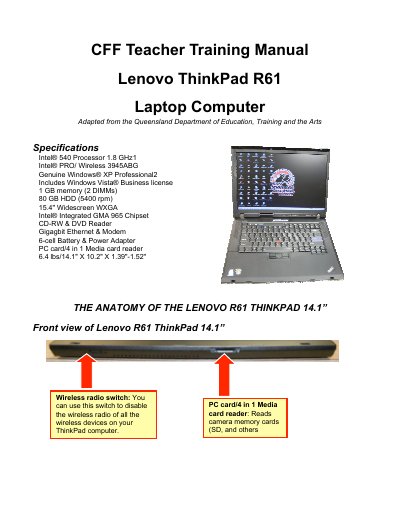
Lenovo ThinkPad R61 Laptop User Manual
The document serves as a user guide for the Lenovo ThinkPad R61 laptop computer. It details the physical layout of the device, including ports on all sides, and explains how to use features like the TrackPoint mouse and various connectivity options such as USB and Ethernet.
Key operational instructions are provided for powering on and off the system, managing power states (Standby, Hibernate), and using keyboard shortcuts. The guide also covers battery status indicators, AC adapter safety precautions, and specific care instructions for the hard drive and battery.
Lenovo ThinkPad R61 specifications
| Processor | Intel® 540 Processor 1.8 GHz |
|---|---|
| Memory | 1 GB memory (2 DIMMs) |
| Hard Drive | 80 GB HDD (5400 rpm) |
| Display | 15.4" Widescreen WXGA |
| Graphics | Intel® Integrated GMA 965 Chipset |
| Weight | 6.4 lbs |
All Lenovo ThinkPad R61 documents by type
Day-to-day operation, settings and troubleshooting. Start here if the product is already set up.
Disassembly, diagnostics and part numbers, for repair.
Questions answered in these manuals
How do I turn off the laptop using the power button?
Hold the power button down for at least 5 seconds to turn it off.
What does a blinking green battery indicator mean?
It indicates that the battery is charged between 20% and 80% of the capacity and is currently being charged.
How do I turn on the Lenovo ThinkPad R61?
Press and hold the power button above the center of the keyboard for a second or two until the laptop starts.
How can I put the laptop into standby mode?
Press the Fn + F4 key combination (also called sleep mode) to place the computer in standby.
Who is the intended audience for this manual?
It is intended for trained service personnel who are familiar with ThinkPad products.
From: ThinkPad R61 R61e R61i (15.4-inch widescreen) Hardware Maintenance Manual