
Key facts
Start here
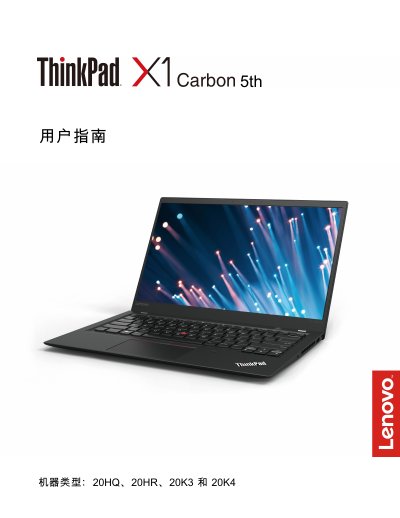
Lenovo 20HQ, 20HR, 20K3, 20K4 5th Laptop User Guide
This guide covers the Lenovo 20HQ, 20HR, 20K3 and 20K4 5th series laptops. It includes a product overview, hardware components, safety warnings, and regulatory information.
It provides step‑by‑step instructions for initial setup, operating‑system installation, using built‑in features such as the ThinkPad button, TrackPoint, Wi‑Gig dock, battery management, and detailed troubleshooting, maintenance, and recovery procedures. This manual is written in Chinese.
Lenovo 3.2.0 specifications
| Paper Capacity | 200 sheets or 10 envelopes |
|---|---|
| Supported Paper Sizes | A4, Letter |
| Interface Options | IEEE 1284 parallel cable or USB cable (≤6 ft) |
Source: Lenovo M3200 Laser Multi-Function All-in-One Service Manual
All Lenovo 3.2.0 documents by type
Mounting, wiring and first power-up. Read it before the hardware goes in.
Day-to-day operation, settings and troubleshooting. Start here if the product is already set up.
- Lenovo 20HQ/20HR/20K3/20K4 Laptop User Guide 146 p
- Lenovo 20HQ, 20HR, 20K3, 20K4 5th Laptop User Guide 150 p
- Lenovo A320 Phone User Manual 34 p
- Lenovo 3200 Series Inkjet Printer User Manual 70 p
- Lenovo 3200 Series Inkjet Printer User Manual 68 p
- Lenovo 3200 Series Inkjet Printer User Manual 68 p
- Lenovo M3100/M3200 All-in-One User Manual 142 p
- Lenovo E320 Phone User Manual 81 p
- Lenovo i320 Phone User Manual 32 p
- Lenovo E320 Phone User Manual 81 p
- Lenovo i320 PC Sync User Manual 6 p
- Lenovo S320 User Manual 69 p
Disassembly, diagnostics and part numbers, for repair.
Questions answered in these manuals
Where can I find the latest Safety, Warranty and Setup Guide?
You can obtain the latest guide on the Lenovo support website.
How should I carry my computer to prevent damage?
Use a high-quality carrying case with good shock absorption and protection, and ensure the computer is closed or in sleep/hibernate mode.
What precautions are needed when using the AC adapter?
Do not touch the operating adapter with any part of your body, avoid using it to warm yourself, and keep it away from moisture.
Can the phone be used near a pacemaker?
Keep the phone at least 15.3 cm (about 6 inches) away from a pacemaker.
Is the phone waterproof?
No, the phone is not waterproof and should be kept dry.
What cable is needed to connect the M3200 to a computer?
Use an IEEE 1284‑compatible parallel cable or a USB cable no longer than 6 feet (1.8 m).
From: Lenovo M3200 Laser Multi-Function All-in-One Service Manual