
Dell XPS 1810 Computer Quick Start Guide

Dell laptop quick start guide
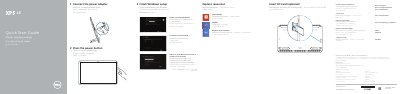

Dell XPS 1810 Computer Quick Start Guide - cover page
Brand
DELL
Category
Desktops
Document type
Quick Start Guide
Language
English
Pages
2
File format
PDF
File size
260 KB
Published
25 November, 2023
Updated
25 November, 2023
MD5 checksum
36AA8C71BDDDB656CF2A167B9AD565B2

About this manual

The Dell XPS 1810 Quick Start Guide provides essential instructions for setting up the device, including connecting the power adapter, completing Windows setup, and signing into a Microsoft account.

It details the hardware features of the computer, such as the camera, USB 3.0 ports, and SD-card slot, and mentions compatibility with a basic or optional powered stand.

What's inside

  • Connect the power adapter
  • Finish Windows setup
  • Enable security and updates
  • Sign in to your Microsoft account
  • Connect to your network
  • Explore resources
  • Features
  • Basic Stand
  • Powered Stand (optional)

Specifications

Input Voltage100 V AC–240 V AC
Frequency50 Hz–60 Hz
Input Current Consumption1.60 A
Output Voltage19.50 VDC
Output Current Consumption3.34 A

Frequently asked questions

How do I know if the computer is correctly seated on the powered stand?

The docking-status light turns on when the computer is correctly seated on the powered stand.

What should you connect before pressing the power button?

Connect the power adapter.

What input voltage and frequency are stated for the computer?

The stated input voltage is 100 V CA–240 V CA, and the frequency is 50 Hz–60 Hz.

What output voltage and current are stated for the power adapter?

The stated output voltage is 19,50 VCC, and the output current is 3,34 A.

Download PDF (260 KB)

More DELL Manuals


View all DELL manuals →