
Key facts
Start here
Dell OptiPlex 3046 MT Quick Start Guide
Quick Start Guide 2 pages · 1.4 MB · EN
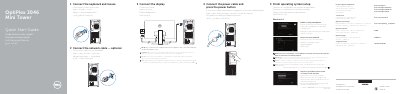
This document provides a quick start guide for the Dell OptiPlex 3046 Mini Tower (MT). It includes multi-language instructions for finishing the operating system setup, enabling security updates, and connecting to a network. Special notes are provided for connecting to secured wireless networks and for systems ordered with discrete graphics cards.
Read onlineDell OptiPlex 3046 MT specifications
| Regulatory model | D18M |
|---|---|
| Regulatory type | D18M002 |
| Computer model | OptiPlex 3046 MT |
All Dell OptiPlex 3046 MT documents by type
Quick Start Guide 12
The shortest path to a working setup, usually only a few pages.
- Dell OptiPlex 3046 MT Quick Start Guide 2 p
- Dell OptiPlex 3046 Mini Tower Quick Start Guide 2 p
- Dell OptiPlex 3046 MT Quick Start Guide 2 p
- Dell OptiPlex 3046 MT Quick Start Guide 2 p
- Dell OptiPlex 3046 MT Quick Start Guide 2 p
- Dell OptiPlex 3046 Mini Tower Quick Start Guide 2 p
- Dell OptiPlex 3046 Mini Tower Quick Start Guide 2 p
- Dell OptiPlex 3046 MT Quick Start Guide 2 p
- Dell OptiPlex 3046 MT Quick Start Guide 2 p
- Dell OptiPlex 3046 MT Mini Tower Quick Start Guide 2 p
- Dell OptiPlex 3046 Mini Tower Quick Start Guide 2 p
- Dell OptiPlex 3046 MT Quick Start Guide 2 p
Questions answered in these manuals
What should I do if I am connecting to a secured wireless network?
Enter the password for the wireless network access when prompted.
Where should I connect the display if I ordered a discrete graphics card?
Connect the display to the discrete graphics card.
Where should I connect the display if the computer has a discrete graphics card?
Connect the display to the discrete graphics card.
What should I do when connecting to a secured wireless network?
Enter the password for the wireless network access when prompted.
Where should the display be connected if the computer was ordered with a discrete graphics card?
Connect the display to the discrete graphics card.
Is connecting a network cable required during setup?
Connecting the network cable is optional.