
Key facts
Start here
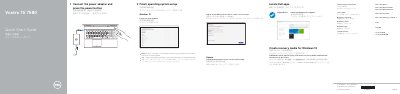
Dell Vostro 15 7580 Laptop Quick Start Guide
The Dell Vostro 15 7580 Quick Start Guide provides essential instructions for setting up the laptop, including power connection and operating system configuration for Windows 10 and Ubuntu.
It details the hardware features of the device, such as available ports and integrated components, and lists the keyboard shortcut keys for audio, display, and wireless control.
Dell Vostro 15 7580 specifications
| Regulatory model | P71F |
|---|---|
| Regulatory type | P71F002 |
| Computer model | Vostro 15 7580 |
All Dell Vostro 15 7580 documents by type
The shortest path to a working setup, usually only a few pages.
Disassembly, diagnostics and part numbers, for repair.
Questions answered in these manuals
How do I create recovery media for Windows 10?
In Windows search, type Recovery, click Create a recovery media, and follow the on-screen instructions.
What should I do before connecting a Dell docking station?
You must download the Dell Power Manager (DPM 3.0) from Dell.com/support.
How do I create recovery media for Windows 10?
In Windows search, type Recovery, click Create a recovery media, and follow the instructions on the screen.
What should I do before connecting a Dell docking station?
Download the Dell Power Manager (DPM 3.0) from Dell.com/support.
How do I connect to a secured wireless network?
Enter the password for the wireless network access when prompted.
Where can I find the full Owner’s Manual?
See the Owner’s Manual at Dell.com/support/manuals.