
Key facts
Start here
Dell Inspiron 15-3558 Quick Start Guide
Quick Start Guide 2 pages · 636 KB · EN
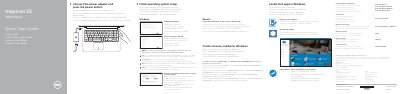
This guide helps you set up your Dell Inspiron 15-3558 laptop. Connect the power adapter and press the power button to start. Follow on-screen instructions to complete Windows or Ubuntu setup. Configure network settings, create recovery media, and register your device. The guide includes a diagram of ports and controls for easy reference.
Read onlineDell Inspiron 15-3558 specifications
| Model | Inspiron 15-3558 |
|---|---|
| Input Voltage | 100 V AC–240 V AC |
| Input Frequency | 50 Hz–60 Hz |
| Output Voltage | 19.50 V DC |
| Country of Origin | Made in China |
All Dell Inspiron 15-3558 documents by type
Quick Start Guide 7
The shortest path to a working setup, usually only a few pages.
- Dell Inspiron 15-3558 Quick Start Guide 2 p
- Dell Inspiron 15-3558 Laptop Quick Start Guide 2 p
- Dell Inspiron 15-3558 Laptop Quick Start Guide 2 p
- Dell Inspiron 15-3558 Laptop Quick Start Guide 2 p
- Dell Inspiron 15-3558 Quick Start Guide 2 p
- Dell Inspiron 15 3000 Series Quick Start Guide 2 p
- Dell Inspiron 15-3558 Computer Quick Start Guide 2 p
Questions answered in these manuals
How do I connect the laptop to power?
Connect the power adapter and press the power button.
How do I set up the operating system?
Follow the on-screen instructions to complete setup for Windows or Ubuntu.
How do I begin Windows setup?
Connect the power adapter and press the power button.
What do I do for a secured wireless network?
Enter the password for the wireless network when prompted.
How do I start the Windows setup?
Connect the power adapter and press the power button.
Where can I find advanced options and features for my computer?
Click Start → All Programs → Dell Help Documentation.