
Key facts
Start here
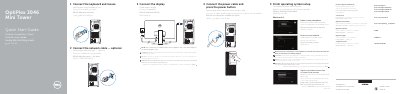
Dell OptiPlex 3046 Mini Tower Quick Start Guide
This quick start guide covers initial setup of the Dell OptiPlex 3046 Mini Tower, including finishing operating system setup, connecting the keyboard, mouse, network cable, power cable, and display, and enabling security and updates.
It also identifies the computer's front and rear features and connectors, provides Windows setup and password steps, lists Dell applications and support resources, and includes regulatory model and type information.
Dell OptiPlex 3046 Mini Tower specifications
| Memory card reader | Optional |
|---|---|
| VGA connector | Optional |
| USB 2.0 connectors | Supports Smart Power On |
All Dell OptiPlex 3046 Mini Tower documents by type
The shortest path to a working setup, usually only a few pages.
Day-to-day operation, settings and troubleshooting. Start here if the product is already set up.
Questions answered in these manuals
Where should the display be connected if the computer has a discrete graphics card?
Connect the display to the discrete graphics card.
What is required to upgrade from Windows 7 32-bit to Windows 10?
A manual installation of the system drivers is required.
Where do I connect the display if the computer has a discrete graphics card?
Connect the display to the discrete graphics card, not the integrated video port.
What are the power supply input specifications?
The power supply accepts 100-240V AC, 4A maximum, at 50-60 Hz.
Where should the display be connected if the computer has a discrete graphics card?
Connect the display to the discrete graphics card.
What is required to upgrade from Windows 7 32-bit to Windows 10?
A manual installation of the system drivers is required.