
Key facts
Start here
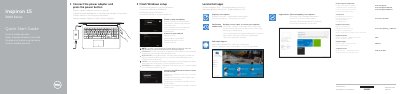
Dell Inspiron 15 3000 Series Laptop Quick Start Guide
This multilingual Quick Start Guide walks users through the first steps with a Dell Inspiron 15 3000 Series laptop: connecting the power adapter, pressing the power button, completing Windows setup, enabling security updates, connecting to a network, and signing in with a Microsoft account. It also points to Dell applications such as SupportAssist, Backup and Recovery, and Help & Support, and provides links for product registration, manuals, and regulatory information.
The second page illustrates the laptop's physical features with numbered callouts (microphone, camera, ports, lights, buttons, battery, Service Tag) and lists keyboard shortcut keys for audio, brightness, display switching, search, wireless, sleep, and battery-status light toggling. Regulatory model P47F, regulatory type P47F003, and computer model Inspiron 15-3552 are noted.
Dell Inspiron 15 3000 Series (15-3552) specifications
| USB 2.0 ports | 2 |
|---|---|
| USB 3.0 port | 1 |
| HDMI port | 1 |
| Headset port | 1 |
| Media-card reader | 1 |
| Security-cable slot | 1 |
Source: Dell Inspiron 15 3000 Series (15-3552) Laptop Quick Start Guide
All Dell Inspiron 15 3000 Series (15-3552) documents by type
The shortest path to a working setup, usually only a few pages.
Questions answered in these manuals
How do I turn on the Dell Inspiron 15 3000 Series laptop?
Connect the power adapter and press the power button.
What keyboard shortcut toggles the wireless connection on or off?
Press the shortcut key for 'Turn off/on wireless' (Fn + wireless icon key).
How do I finish operating system setup?
Follow the instructions on the screen to finish setup.
From: Dell Inspiron 15 3000 Series (15-3552) Laptop Quick Start Guide
How do I create recovery media for Windows?
In Windows search, type Recovery, click Create a recovery media, and follow the instructions on the screen.
From: Dell Inspiron 15 3000 Series (15-3552) Laptop Quick Start Guide