
Dell OptiPlex 3046 MT Quick Start Guide

OptiPlex 3046 Mini Tower Quick Start Guide
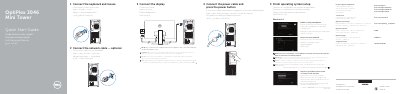

Dell OptiPlex 3046 MT Quick Start Guide - cover page
Brand
DELL
Category
Desktops
Document type
Quick Start Guide
Language
English
Pages
2
File format
PDF
File size
1.4 MB
Published
22 November, 2023
Updated
22 November, 2023
MD5 checksum
8BE1D012CAE92E6DB67D5A47FE108ABC

About this manual

This document provides a quick start guide for the Dell OptiPlex 3046 Mini Tower (MT). It includes multi-language instructions for finishing the operating system setup, enabling security updates, and connecting to a network. Special notes are provided for connecting to secured wireless networks and for systems ordered with discrete graphics cards.

What's inside

  • Finish operating system setup
  • Enable security and updates
  • Connect to your network
  • Connect the keyboard and mouse
  • Connect the power cable
  • Connect the display
  • Features
  • Set up password for Windows
  • Protect your computer
  • Register My Device

Specifications

Regulatory modelD18M
Regulatory typeD18M002
Computer modelOptiPlex 3046 MT

Frequently asked questions

What should I do if I am connecting to a secured wireless network?

Enter the password for the wireless network access when prompted.

Where should I connect the display if I ordered a discrete graphics card?

Connect the display to the discrete graphics card.

What is required to upgrade from Windows 7 32-bit to Windows 10?

A manual installation of the system drivers is required.

Download PDF (1.4 MB)

More DELL Manuals


View all DELL manuals →