
Key facts
Start here
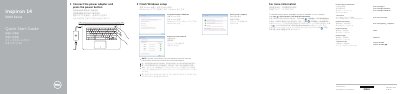
Dell Inspiron 14-5459 Quick Start Guide
This document serves as a Quick Start Guide for the Dell Inspiron 14-5459 laptop. It covers essential initial setup steps, including finishing Windows setup, connecting power, and setting up network access. The guide also directs users to Dell Help Documentation for advanced options. This manual is written in Chinese.
Read onlineDell Inspiron 14 specifications
| USB 2.0 port | 1 |
|---|---|
| USB 3.0 ports | 2 |
| HDMI port | 1 |
| Network port | 1 |
| Headset port | 1 |
| Media-card reader | 1 |
| Optical drive | 1 |
Source: Dell Inspiron 14/14R/M431R Computer Quick Start Guide
All Dell Inspiron 14 documents by type
The shortest path to a working setup, usually only a few pages.
Disassembly, diagnostics and part numbers, for repair.
- Dell Inspiron 14 7000 Service Manual 69 p
- Dell Inspiron 14/14R/M431R Service Manual 72 p
- Dell Inspiron 14/14R/M431R (3421/5421/5435) Service Manual 71 p
- Dell Inspiron 14/14R Laptop Owner's Manual 73 p
- Dell Inspiron 14/14R (3421/5421) Service Manual 70 p
- Dell Inspiron 14/14R Service Manual 67 p
- Dell Inspiron 14/14R 3421/5421 User Manual 70 p
- Dell Inspiron 14 Computer User Manual 39 p
- Dell Inspiron 14 5000 Series Service Manual 108 p
- Dell Inspiron 1440 Service Manual 46 p
- Dell Inspiron 14/14R (3437/5437) Laptop Owner's Manual 73 p
- Dell Inspiron 1470/1570 Service Manual 45 p
- Dell Inspiron 14R Owner's Manual 114 p
- Dell Inspiron 14 3000 Series Service Manual 96 p
- Dell Inspiron 14 3000 Service Manual 98 p
- Dell Inspiron 1440 Laptop Service Manual 46 p
- Dell Inspiron 14 5402 Service Manual 88 p
- Dell Inspiron 14 3000 Series Service Manual 91 p
- Dell Inspiron 14 5000 Series Service Manual 86 p
- Inspiron 14 5000 Series Notebook Owner's Manual 82 p
- Inspiron 14/14R Laptop User's Guide 71 p
- Dell Inspiron 14 7000 (14-7460) Laptop Service Manual 79 p
- Dell Inspiron 14 5000 Series (Inspiron 14-5457) Notebook Owner's Manual 105 p
- Inspiron 14/14R Notebook User's Guide 73 p
- Dell Inspiron 14 3000 Series (Inspiron 3442) Notebook Owner's Manual 87 p
- Dell Inspiron 14 3000 (Inspiron 14-3462) Laptop Service Manual 107 p
- Dell Inspiron 14 5000 Series 14-5458 Laptop Service Manual 106 p
- Dell Inspiron 1470/1570 Service Manual 43 p
Day-to-day operation, settings and troubleshooting. Start here if the product is already set up.
Questions answered in these manuals
How do you start the computer?
Connect the power adapter and press the power button.
What should you enter when connecting to a secured wireless network?
Enter the password for the wireless network access when prompted.
What tools are required for this service manual?
The procedures may require a Phillips screwdriver #1 and a plastic scribe.
How do I clear forgotten passwords on the system?
You can clear forgotten passwords by clearing CMOS settings as described in the System setup section.
What tools are required to perform the procedures in this manual?
The procedures may require a Phillips screwdriver and a plastic scribe.
How long must you hold the power button to ground the system board?
You must press and hold the power button for 5 seconds.